More browsing paths
Play Bigs 2, The (US edition) Online
Bigs 2, The
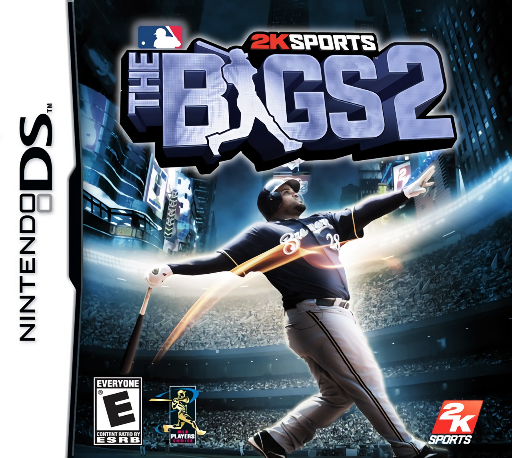
Play Bigs 2, The online. Play arcade baseball with Major League teams on DS.
Browser play
Nintendo DS (NDS) — EmulatorJS controls
Default Player 1 keyboard mapping. Change keys in Controller Settings.
| Console button | Keyboard |
|---|---|
| ↑ / ↓ / ← / → | ↑ / ↓ / ← / → |
| A / B / X / Y | Z / X / A / S |
| L / R | Q / E |
| START / SELECT | Enter / V |
| Microphone | Not assigned |
Open Controller Settings to configure your keyboard or gamepad. Touch controls are available on mobile.
How to Play Bigs 2, The
Quick start
Select a team and the first available game or practice activity. Learn a pitch and a swing, then watch the base situation before attempting extra advances.
Controls
Choose the stylus scheme or Control Pad and buttons, and follow its hitting, pitching and fielding prompts. Use the displayed base selections for throws and runners; check the selected scheme before a new play.
Bigs 2, The — About this game
Play arcade baseball with Major League teams on DS. Batting and pitching remain the heart of the match, while hitting and fielding mini-games offer shorter ways to practise. Read the field before sending a runner onward and vary your pitches rather than giving every batter the same delivery. Start with basic contact and a clean defensive play before chasing a dramatic scoring inning.
Bigs 2, The Game manuals
Cheats
No cheats have been added for this edition.
Player verification and sources
Browser play was reviewed before this edition was published in the catalogue. The date below is the catalogue publication date, not the game’s original release date.
- Browser test and catalogue publication date
- Browsers and devices
- PC: Chrome, Edge and Firefox. Mobile: Chrome on Android and Safari on iPhone and iPad.
- Player engine and core
- EmulatorJS 4.3.0-pre · nds
- Tested by
- rwEmulator
Sources and editorial basis
rwEmulator reviews edition metadata, release information, game manuals and first-hand browser-play notes. Available manuals are linked below; the editorial policy explains how facts are checked and corrections are handled.