More browsing paths
Play Billy Bob's Huntin'-n-Fishin' (US_EU edition · English) Online
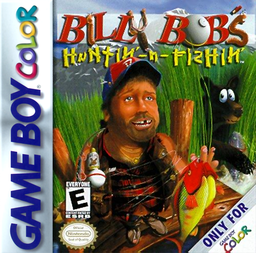
Billy Bob's Huntin' 'n' Fishin'
Play Billy Bob's Huntin'-n-Fishin' online on GBC. Win Daisy Mae's affection in a comic outdoor adventure that makes preparation part of the hunt.
Browser play
Game Boy Color (GBC) — EmulatorJS controls
Default Player 1 keyboard mapping. Change keys in Controller Settings.
| Console button | Keyboard |
|---|---|
| ↑ / ↓ / ← / → | ↑ / ↓ / ← / → |
| A / B | Z / X |
| START / SELECT | Enter / V |
Open Controller Settings to configure your keyboard or gamepad. Touch controls are available on mobile.
How to Play Billy Bob's Huntin'-n-Fishin'
Quick start
Visit Jake's bait shop and try the can-catching task for a fishing license. Check your supplies before leaving for the next outing.
Controls
Use the directional pad to move and navigate. Press A at doors to enter activities; the license task uses up and down to catch cans. Follow the current challenge's instructions.
Billy Bob's Huntin'-n-Fishin' — About this game
Billy Bob's route starts around a clearing linking Daisy's house, Jake's bait shop and the hunting lodge. Short activities provide the supplies and permissions needed for an outing. Hearts track Daisy's affection, so leaving unprepared or mishandling an objective can cost more than a missed catch.
Billy Bob's Huntin'-n-Fishin' Game manuals
Cheats
No cheats have been added for this edition.
Player verification and sources
Browser play was reviewed before this edition was published in the catalogue. The date below is the catalogue publication date, not the game’s original release date.
- Browser test and catalogue publication date
- Browsers and devices
- PC: Chrome, Edge and Firefox. Mobile: Chrome on Android and Safari on iPhone and iPad.
- Player engine and core
- EmulatorJS 4.3.0-pre · gb
- Tested by
- rwEmulator
Sources and editorial basis
rwEmulator reviews edition metadata, release information, game manuals and first-hand browser-play notes. Available manuals are linked below; the editorial policy explains how facts are checked and corrections are handled.