More browsing paths
Play Bionicle (Europe edition) Online
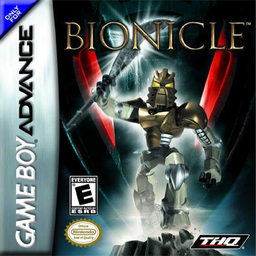
Bionicle
Play Bionicle online, choose a Toa, rescue Matoran, collect Lightstones and defeat each region’s Bohrok with elemental powers on GBA.
Browser play
Game Boy Advance (GBA) — EmulatorJS controls
Default Player 1 keyboard mapping. Change keys in Controller Settings.
| Console button | Keyboard |
|---|---|
| ↑ / ↓ / ← / → | ↑ / ↓ / ← / → |
| A / B | Z / X |
| L / R | Q / E |
| START / SELECT | Enter / V |
Open Controller Settings to configure your keyboard or gamepad. Touch controls are available on mobile.
How to Play Bionicle
Quick start
Choose Play and select one of the six Toa. In that Toa’s home Wahi, rescue the required Matoran, gather enough Lightstones to open the Dark Cages, then find and defeat the region’s Bohrok. Takua’s messages explain the immediate task; learn the chosen Toa’s special ability because each region’s obstacles are built around it.
Controls
D-Pad: move; B: jump (double-tap for a higher jump on supported Toa); A: elemental blast, hold for an extreme blast; hold L: lock on to the nearest enemy; R: character-specific special ability; R+D-Pad: scroll the view; START: pause. Menu: D-Pad selects, A confirms, B returns.
Bionicle Game manuals
Cheats
No cheats have been added for this edition.
Player verification and sources
Browser play was reviewed before this edition was published in the catalogue. The date below is the catalogue publication date, not the game’s original release date.
- Browser test and catalogue publication date
- Browsers and devices
- PC: Chrome, Edge and Firefox. Mobile: Chrome on Android and Safari on iPhone and iPad.
- Player engine and core
- EmulatorJS 4.3.0-pre · gba
- Tested by
- rwEmulator
Sources and editorial basis
rwEmulator reviews edition metadata, release information, game manuals and first-hand browser-play notes. Available manuals are linked below; the editorial policy explains how facts are checked and corrections are handled.