More browsing paths
Play Blazer Drive (Japan edition · Japanese) Online
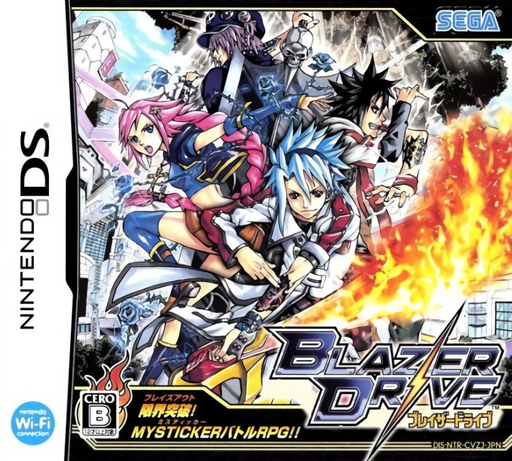
Blazer Drive
Play Blazer Drive online. Build a fighting style by attaching energy stickers to your arms.
Browser play
Nintendo DS (NDS) — EmulatorJS controls
Default Player 1 keyboard mapping. Change keys in Controller Settings.
| Console button | Keyboard |
|---|---|
| ↑ / ↓ / ← / → | ↑ / ↓ / ← / → |
| A / B / X / Y | Z / X / A / S |
| L / R | Q / E |
| START / SELECT | Enter / V |
| Microphone | Not assigned |
Open Controller Settings to configure your keyboard or gamepad. Touch controls are available on mobile.
How to Play Blazer Drive
Quick start
Begin the story and follow the first Mysticker lesson. Try one arm’s attack while keeping the other available, then review skills and new stickers after battle.
Controls
Select Mystickers and the arm or action shown by the battle interface, then confirm the intended target. Follow the tutorial’s selection controls and inspect sticker effects before combining them.
Blazer Drive — About this game
Build a fighting style by attaching energy stickers to your arms. Blazer Drive mixes RPG battles with card-like choices: element matches and sticker combinations strengthen a plan, but an arm used to attack cannot defend again until the next turn. Keep something in reserve when outnumbered. Earn battle points for drive skills and adjust the sticker selection as new opponents challenge your setup.
Blazer Drive Game manuals
Cheats
No cheats have been added for this edition.
Player verification and sources
Browser play was reviewed before this edition was published in the catalogue. The date below is the catalogue publication date, not the game’s original release date.
- Browser test and catalogue publication date
- Browsers and devices
- PC: Chrome, Edge and Firefox. Mobile: Chrome on Android and Safari on iPhone and iPad.
- Player engine and core
- EmulatorJS 4.3.0-pre · nds
- Tested by
- rwEmulator
Sources and editorial basis
rwEmulator reviews edition metadata, release information, game manuals and first-hand browser-play notes. Available manuals are linked below; the editorial policy explains how facts are checked and corrections are handled.