More browsing paths
Play Blodia Land: Puzzle Quest (Japan edition · Japanese) Online
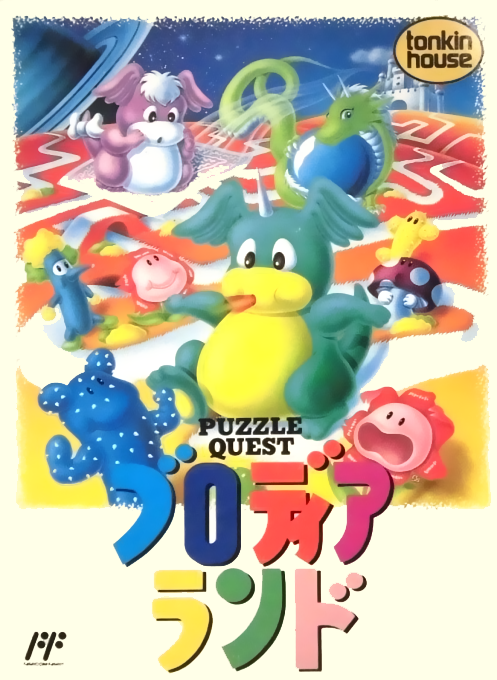
Blodia Land: Puzzle Quest
We will introduce the basics of how to play FC "Brodialand Puzzle Quest", panel movement, acceleration, password confirmation, and how to conquer 100 stages.
Browser play
Nintendo Entertainment System (NES) / Famicom — EmulatorJS controls
Default Player 1 keyboard mapping. Change keys in Controller Settings.
| Console button | Keyboard |
|---|---|
| ↑ / ↓ / ← / → | ↑ / ↓ / ← / → |
| A / B | Z / X |
| START / SELECT | Enter / V |
Open Controller Settings to configure your keyboard or gamepad. Touch controls are available on mobile.
How to Play Blodia Land: Puzzle Quest
Quick start
Start the game from the title, move the cursor to the side of the panel you want to move to an empty square, and press the A button. First of all, don't cut off the path in front of Brodia, and create a shape that leads to the goal one move at a time. In situations where movement feels slow, you can accelerate Brodia by pressing the B button. Check the password with SELECT in the field map.
Controls
Cross key: Move the cursor. A button: Move/determine the panel row in the cursor direction to the empty square side. B button: Speed up Brodia's walking speed. START: Pause during game. SELECT: Show password in field map.
Blodia Land: Puzzle Quest — About this game
"Brodia Land Puzzle Quest" is a puzzle game for the Famicom in which the main character Brodia advances by moving panels in the same manner as in 15 puzzles and connecting broken paths. Brodia automatically walks along the path laid out, and the panels he passes through disappear, so you need to think ahead and reassemble the next path. Visit all 100 worlds and aim to conquer each world while protecting your limited remaining lives. You can carry over your progress with a password.
Cheats
No cheats have been added for this edition.
Player verification and sources
Browser play was reviewed before this edition was published in the catalogue. The date below is the catalogue publication date, not the game’s original release date.
- Browser test and catalogue publication date
- Browsers and devices
- PC: Chrome, Edge and Firefox. Mobile: Chrome on Android and Safari on iPhone and iPad.
- Player engine and core
- EmulatorJS 4.3.0-pre · nes
- Tested by
- rwEmulator
Sources and editorial basis
rwEmulator reviews edition metadata, release information, game manuals and first-hand browser-play notes. Available manuals are linked below; the editorial policy explains how facts are checked and corrections are handled.