More browsing paths
Play Bob the Builder: Fix It Fun! (Europe edition · English / French / German / Spanish / Dutch) Online
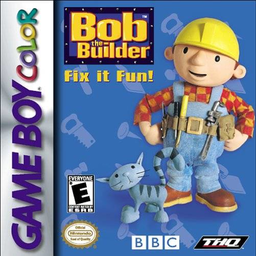
Bob the Builder - Fix it Fun!
Play Bob the Builder: Fix It Fun! online on GBC. Help Bob and the machines finish jobs around town before a countryside picnic. The yard and office act as a hub for activities, with different tasks assigned to familiar vehicles and pieces of office equipment.
Browser play
Game Boy Color (GBC) — EmulatorJS controls
Default Player 1 keyboard mapping. Change keys in Controller Settings.
| Console button | Keyboard |
|---|---|
| ↑ / ↓ / ← / → | ↑ / ↓ / ← / → |
| A / B | Z / X |
| START / SELECT | Enter / V |
Open Controller Settings to configure your keyboard or gamepad. Touch controls are available on mobile.
How to Play Bob the Builder: Fix It Fun!
Quick start
Press START, choose the language and select START on the main menu. In the yard, walk toward a machine and press START or SELECT to enter its activity. Begin with Easy in Options.
Controls
The D-pad moves Bob or the menu marker. START selects main-menu choices. Near a job, START or SELECT opens it. Options use A/B to change settings; activity actions follow their own instructions.
Bob the Builder: Fix It Fun! — About this game
Bob the Builder: Fix It Fun! for Game Boy Color. Approach a machine or an office object and open its job. Read the task introduction before starting, because repairing, carrying and other activities do not all share one action button. Completed jobs provide passwords for continuing later.
Bob the Builder: Fix It Fun! Game manuals
Cheats
No cheats have been added for this edition.
Player verification and sources
Browser play was reviewed before this edition was published in the catalogue. The date below is the catalogue publication date, not the game’s original release date.
- Browser test and catalogue publication date
- Browsers and devices
- PC: Chrome, Edge and Firefox. Mobile: Chrome on Android and Safari on iPhone and iPad.
- Player engine and core
- EmulatorJS 4.3.0-pre · gb
- Tested by
- rwEmulator
Sources and editorial basis
rwEmulator reviews edition metadata, release information, game manuals and first-hand browser-play notes. Available manuals are linked below; the editorial policy explains how facts are checked and corrections are handled.