More browsing paths
Play Bokosuka Wars (Japan edition · Japanese) Online
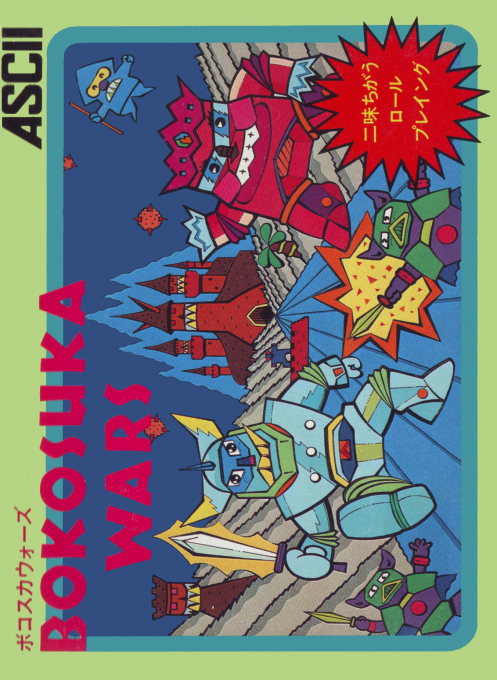
Bokosuka Wars
We will explain how to play FC "Bokosuka Wars", how to switch units, rescue allies, contact battles, and how to progress to King Ogoreth.
Browser play
Nintendo Entertainment System (NES) / Famicom — EmulatorJS controls
Default Player 1 keyboard mapping. Change keys in Controller Settings.
| Console button | Keyboard |
|---|---|
| ↑ / ↓ / ← / → | ↑ / ↓ / ← / → |
| A / B | Z / X |
| START / SELECT | Enter / V |
Open Controller Settings to configure your keyboard or gamepad. Touch controls are available on mobile.
How to Play Bokosuka Wars
Quick start
Press START on the title. Use the cross key to advance your squad, and use A or B to switch the control target in the order of "Everyone → King → Private → Knight". In the early stages, let the king crash into trees and rocks to rescue his allies and create a cohesive army. Contact will result in a battle, so instead of attacking weaker soldiers haphazardly against stronger enemies, divide the roles of your troops and proceed to the castle.
Controls
D-pad: Move the currently selected ally squad one square at a time up/down/left/right. A button/B button: Switch the controlled allies in the order of all, king, private, and knight. START: Start the game from the title screen. START and SELECT are not used during the game, and there is no pause function.
Bokosuka Wars — About this game
"Bokosuka Wars" is a real-time strategy RPG for the Famicom in which you move an army consisting of King Suren, knights, and soldiers and aim for Bassam Castle. Use the king to rescue allies who have been turned into trees or rocks, and break through traps and enemy lines while switching between troop types. Contact battles with the enemy are decided by the strength and luck of both sides, and the winning ally grows. If the king is defeated, the game is over, and if you defeat King Ogoreth in the depths of the castle, you will advance to the next level.
Cheats
No cheats have been added for this edition.
Player verification and sources
Browser play was reviewed before this edition was published in the catalogue. The date below is the catalogue publication date, not the game’s original release date.
- Browser test and catalogue publication date
- Browsers and devices
- PC: Chrome, Edge and Firefox. Mobile: Chrome on Android and Safari on iPhone and iPad.
- Player engine and core
- EmulatorJS 4.3.0-pre · nes
- Tested by
- rwEmulator
Sources and editorial basis
rwEmulator reviews edition metadata, release information, game manuals and first-hand browser-play notes. Available manuals are linked below; the editorial policy explains how facts are checked and corrections are handled.