More browsing paths
Play Bookworm (US edition · English) Online
Bookworm
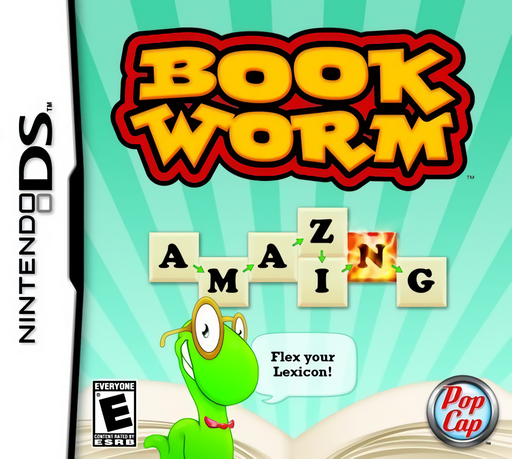
Play Bookworm online. Link English letter tiles, extinguish burning letters and grow Lex’s library. Explore the Nintendo DS gameplay and controls.
Browser play
Nintendo DS (NDS) — EmulatorJS controls
Default Player 1 keyboard mapping. Change keys in Controller Settings.
| Console button | Keyboard |
|---|---|
| ↑ / ↓ / ← / → | ↑ / ↓ / ← / → |
| A / B / X / Y | Z / X / A / S |
| L / R | Q / E |
| START / SELECT | Enter / V |
| Microphone | Not assigned |
Open Controller Settings to configure your keyboard or gamepad. Touch controls are available on mobile.
How to Play Bookworm
Quick start
Choose Classic for your first solo game and read the displayed bonus word. Find an English word among connected letters, drag through its tiles, then tap to commit. Watch how replacement letters fall before choosing again. When a burning tile appears, look for a word that uses it before it reaches the bottom.
Controls
Play on the letter-grid page with the stylus: drag from one connected letter to the next and tap again to accept the finished word. Read Lex and the bonus-word display on the other page. The DS game uses a vertical, book-style layout; the words are English.
Bookworm — About this game
Trace words through a changing grid of English letters, then confirm your choice to remove the tiles and let new letters fall into place. Longer finds and bonus words reward careful planning, but burning tiles can end the game if they reach the bottom. Classic gives you time to consider a move, while Action keeps heating tiles as you think. The DS cartridge also turns your words into progress through a furnished library and themed word collections, giving each session another goal beyond a high score.
Bookworm Game manuals
Cheats
No cheats have been added for this edition.
Player verification and sources
Browser play was reviewed before this edition was published in the catalogue. The date below is the catalogue publication date, not the game’s original release date.
- Browser test and catalogue publication date
- Browsers and devices
- PC: Chrome, Edge and Firefox. Mobile: Chrome on Android and Safari on iPhone and iPad.
- Player engine and core
- EmulatorJS 4.3.0-pre · nds
- Tested by
- rwEmulator
Sources and editorial basis
rwEmulator reviews edition metadata, release information, game manuals and first-hand browser-play notes. Available manuals are linked below; the editorial policy explains how facts are checked and corrections are handled.