More browsing paths
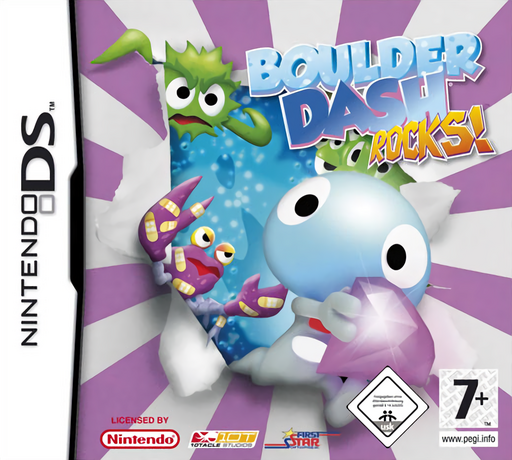
Play Boulder Dash: Rocks! (Europe edition · English / French / German / Spanish / Italian) Online
Boulder Dash - Rocks!
Play Boulder Dash: Rocks! online. Guide Rockford through caves by collecting diamonds and opening a route to the exit.
Browser play
Nintendo DS (NDS) — EmulatorJS controls
Default Player 1 keyboard mapping. Change keys in Controller Settings.
| Console button | Keyboard |
|---|---|
| ↑ / ↓ / ← / → | ↑ / ↓ / ← / → |
| A / B / X / Y | Z / X / A / S |
| L / R | Q / E |
| START / SELECT | Enter / V |
| Microphone | Not assigned |
Open Controller Settings to configure your keyboard or gamepad. Touch controls are available on mobile.
How to Play Boulder Dash: Rocks!
Quick start
Start the first adventure level and collect diamonds away from unsupported rocks. Notice what falls after each move before taking a narrow passage.
Controls
Move with the Control Pad; walking handles contextual pushing and triggers. Use the shown button for digging or acquired weapons. Route Race uses stylus-drawn routes instead of normal direct movement.
Boulder Dash: Rocks! — About this game
Guide Rockford through caves by collecting diamonds and opening a route to the exit. Removing dirt or a gem can release the boulder above, so plan where to stand before clearing support. Enemies and later tools change how a route can be solved. The main adventure rewards quick movement and observation, while Route Race asks you to draw a safe plan on the Touch Screen.
Boulder Dash: Rocks! Game manuals
Cheats
No cheats have been added for this edition.
Player verification and sources
Browser play was reviewed before this edition was published in the catalogue. The date below is the catalogue publication date, not the game’s original release date.
- Browser test and catalogue publication date
- Browsers and devices
- PC: Chrome, Edge and Firefox. Mobile: Chrome on Android and Safari on iPhone and iPad.
- Player engine and core
- EmulatorJS 4.3.0-pre · nds
- Tested by
- rwEmulator
Sources and editorial basis
rwEmulator reviews edition metadata, release information, game manuals and first-hand browser-play notes. Available manuals are linked below; the editorial policy explains how facts are checked and corrections are handled.