More browsing paths
Play Bratz Ponyz 2 (US edition · English / French / Spanish) Online
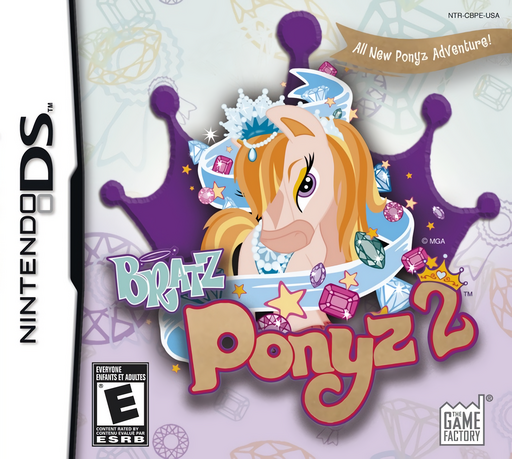
Bratz Ponyz 2
Play Bratz Ponyz 2 online. Build a pony’s style while completing an island agenda.
Browser play
Nintendo DS (NDS) — EmulatorJS controls
Default Player 1 keyboard mapping. Change keys in Controller Settings.
| Console button | Keyboard |
|---|---|
| ↑ / ↓ / ← / → | ↑ / ↓ / ← / → |
| A / B / X / Y | Z / X / A / S |
| L / R | Q / E |
| START / SELECT | Enter / V |
| Microphone | Not assigned |
Open Controller Settings to configure your keyboard or gamepad. Touch controls are available on mobile.
How to Play Bratz Ponyz 2
Quick start
Choose a pony, visit the four workshop types and check completed tasks in the agenda book. Follow the exclamation mark after finishing the schedule.
Controls
Touch the direction you want to walk and tap another pony to talk. Tap the agenda to check tasks; trace, drag or tap materials as the upper-screen demonstration shows.
Bratz Ponyz 2 — About this game
Build a pony’s style while completing an island agenda. Beauty, crafts, gems and music workshops reward careful work with hearts; finishing the schedule leads to a reward and a fresh set of tasks. Later trips require materials from other islands. Check the agenda before searching, and improve a craft before closing the current schedule if you want a better result.
Bratz Ponyz 2 Game manuals
Cheats
No cheats have been added for this edition.
Player verification and sources
Browser play was reviewed before this edition was published in the catalogue. The date below is the catalogue publication date, not the game’s original release date.
- Browser test and catalogue publication date
- Browsers and devices
- PC: Chrome, Edge and Firefox. Mobile: Chrome on Android and Safari on iPhone and iPad.
- Player engine and core
- EmulatorJS 4.3.0-pre · nds
- Tested by
- rwEmulator
Sources and editorial basis
rwEmulator reviews edition metadata, release information, game manuals and first-hand browser-play notes. Available manuals are linked below; the editorial policy explains how facts are checked and corrections are handled.