More browsing paths
Play Bratz: Rock Angelz (Europe edition) Online
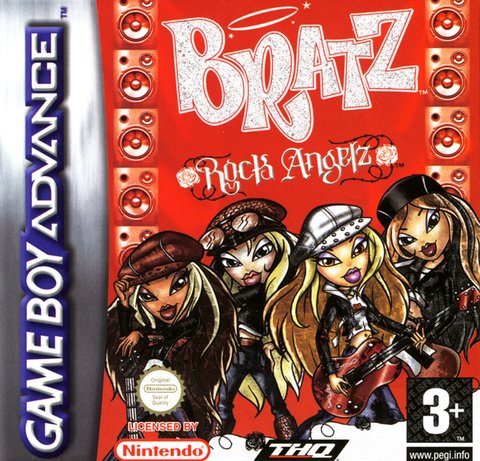
Bratz: Rock Angelz
Play Bratz: Rock Angelz online and check the verified Game Boy Advance controls, opening steps and first objective before you begin.
Browser play
Game Boy Advance (GBA) — EmulatorJS controls
Default Player 1 keyboard mapping. Change keys in Controller Settings.
| Console button | Keyboard |
|---|---|
| ↑ / ↓ / ← / → | ↑ / ↓ / ← / → |
| A / B | Z / X |
| L / R | Q / E |
| START / SELECT | Enter / V |
Open Controller Settings to configure your keyboard or gamepad. Touch controls are available on mobile.
How to Play Bratz: Rock Angelz
Quick start
Press START, choose Story Mode, and create or select a save. Talk to the other Bratz girls and use the Check List in the Start Menu to see the first task for the magazine. Interact with characters and objects until the task receives a checkmark; unlocked minigames can then be replayed from the Main Menu.
Controls
D-pad: move, steer the skateboard, and navigate menus. A: interact/confirm or move forward on the skateboard. B plus D-pad: dash; B also cancels. L: take out or put away the skateboard. START: open the Start Menu for checklist, fashion, items and saving.
Bratz: Rock Angelz Game manuals
Cheats
No cheats have been added for this edition.
Player verification and sources
Browser play was reviewed before this edition was published in the catalogue. The date below is the catalogue publication date, not the game’s original release date.
- Browser test and catalogue publication date
- Browsers and devices
- PC: Chrome, Edge and Firefox. Mobile: Chrome on Android and Safari on iPhone and iPad.
- Player engine and core
- EmulatorJS 4.3.0-pre · gba
- Tested by
- rwEmulator
Sources and editorial basis
rwEmulator reviews edition metadata, release information, game manuals and first-hand browser-play notes. Available manuals are linked below; the editorial policy explains how facts are checked and corrections are handled.