More browsing paths
Play Brave Story: Boku no Kioku to Negai (Japan edition · Japanese) Online
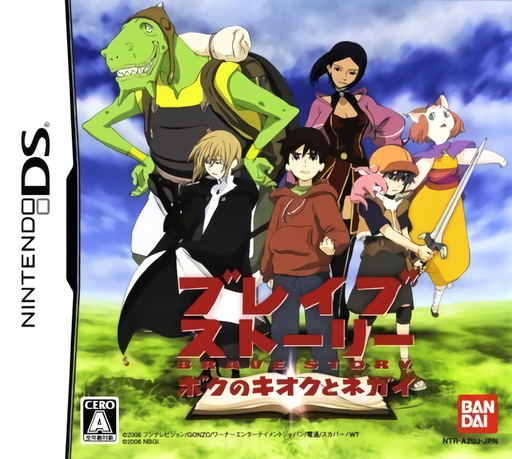
Brave Story - Boku no Kioku to Negai
Play Brave Story: Boku no Kioku to Negai online. Enter Vision as a young man searching for lost memories.
Browser play
Nintendo DS (NDS) — EmulatorJS controls
Default Player 1 keyboard mapping. Change keys in Controller Settings.
| Console button | Keyboard |
|---|---|
| ↑ / ↓ / ← / → | ↑ / ↓ / ← / → |
| A / B / X / Y | Z / X / A / S |
| L / R | Q / E |
| START / SELECT | Enter / V |
| Microphone | Not assigned |
Open Controller Settings to configure your keyboard or gamepad. Touch controls are available on mobile.
How to Play Brave Story: Boku no Kioku to Negai
Quick start
Begin the story and follow the opening scene’s prompts. Search the nearby scenery, inspect the first clue and choose a companion when the story presents the decision.
Controls
Touch the scene to move and inspect highlighted objects. Slide or turn puzzle pieces according to the mechanism; use the microphone when a puzzle specifically calls for blowing.
Brave Story: Boku no Kioku to Negai — About this game
Enter Vision as a young man searching for lost memories. Travelling with Wataru or Mitsuru changes the events and revelations you encounter. Search scenes for items and information, then solve mechanisms such as sliding panels into a keyhole or aligning symbols. Gather the scattered book pages as you go; they connect practical clues with the hero’s past and give a reason to examine each new scene carefully.
Brave Story: Boku no Kioku to Negai Game manuals
Cheats
No cheats have been added for this edition.
Player verification and sources
Browser play was reviewed before this edition was published in the catalogue. The date below is the catalogue publication date, not the game’s original release date.
- Browser test and catalogue publication date
- Browsers and devices
- PC: Chrome, Edge and Firefox. Mobile: Chrome on Android and Safari on iPhone and iPad.
- Player engine and core
- EmulatorJS 4.3.0-pre · nds
- Tested by
- rwEmulator
Sources and editorial basis
rwEmulator reviews edition metadata, release information, game manuals and first-hand browser-play notes. Available manuals are linked below; the editorial policy explains how facts are checked and corrections are handled.