More browsing paths
Play Brave (US edition · English / French / Spanish) Online
Brave
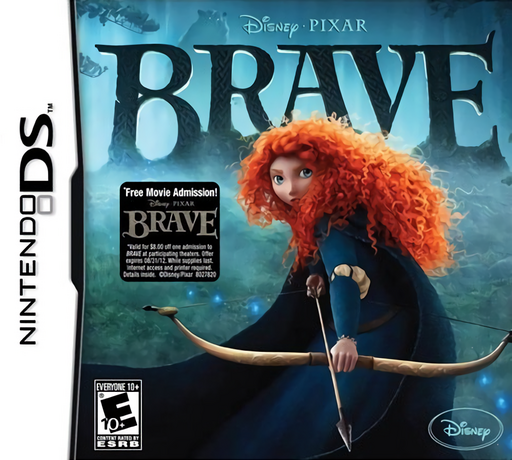
Play Brave online. Guide Merida through forest paths, fights and jumping sections while pursuing the curse affecting her family.
Browser play
Nintendo DS (NDS) — EmulatorJS controls
Default Player 1 keyboard mapping. Change keys in Controller Settings.
| Console button | Keyboard |
|---|---|
| ↑ / ↓ / ← / → | ↑ / ↓ / ← / → |
| A / B / X / Y | Z / X / A / S |
| L / R | Q / E |
| START / SELECT | Enter / V |
| Microphone | Not assigned |
Open Controller Settings to configure your keyboard or gamepad. Touch controls are available on mobile.
How to Play Brave
Quick start
Begin Forest Pursuit and practise movement, jumping and the two attacks. Open the early chests, then follow the tutorial into the first touch puzzle.
Controls
Move with the Control Pad, B to jump, A to fire and Y to swing the sword. X opens chests; R dodges. Use L or the touch screen for available elements and the stylus for puzzle panels.
Brave — About this game
Guide Merida through forest paths, fights and jumping sections while pursuing the curse affecting her family. Bow attacks handle distant threats and the sword helps at close range. Touch puzzles interrupt the action with connections or remembered patterns. Watch where you will land, collect rewards from cleared encounters and learn each puzzle’s rule before moving to the next stretch.
Brave Game manuals
Cheats
No cheats have been added for this edition.
Player verification and sources
Browser play was reviewed before this edition was published in the catalogue. The date below is the catalogue publication date, not the game’s original release date.
- Browser test and catalogue publication date
- Browsers and devices
- PC: Chrome, Edge and Firefox. Mobile: Chrome on Android and Safari on iPhone and iPad.
- Player engine and core
- EmulatorJS 4.3.0-pre · nds
- Tested by
- rwEmulator
Sources and editorial basis
rwEmulator reviews edition metadata, release information, game manuals and first-hand browser-play notes. Available manuals are linked below; the editorial policy explains how facts are checked and corrections are handled.