More browsing paths
Play Break 'Em All (US edition) Online
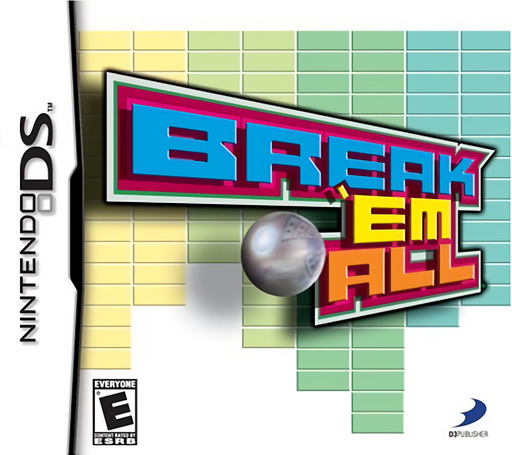
Break 'em All
Play Break 'Em All online. Keep the ball above your paddle and clear the brick formations.
Browser play
Nintendo DS (NDS) — EmulatorJS controls
Default Player 1 keyboard mapping. Change keys in Controller Settings.
| Console button | Keyboard |
|---|---|
| ↑ / ↓ / ← / → | ↑ / ↓ / ← / → |
| A / B / X / Y | Z / X / A / S |
| L / R | Q / E |
| START / SELECT | Enter / V |
| Microphone | Not assigned |
Open Controller Settings to configure your keyboard or gamepad. Touch controls are available on mobile.
How to Play Break 'Em All
Quick start
Select a regular brick-breaking mode, choose one power-up from each offered pair and launch the first ball. Practise returning it before spending the first available effect.
Controls
Hold the stylus on the paddle and slide left or right to meet the ball. Tap the power-up control to activate the current effect, or keep playing to build toward a later one.
Break 'Em All — About this game
Keep the ball above your paddle and clear the brick formations. Before play, choose a chain of power-ups; points and combos advance it, letting you spend early or wait for a stronger effect. A wider paddle, extra balls and destructive bursts change how you approach the wall. Watch the return path before chasing a useful angle, because a lost ball ends that attempt at the pattern.
Break 'Em All Game manuals
Cheats
No cheats have been added for this edition.
Player verification and sources
Browser play was reviewed before this edition was published in the catalogue. The date below is the catalogue publication date, not the game’s original release date.
- Browser test and catalogue publication date
- Browsers and devices
- PC: Chrome, Edge and Firefox. Mobile: Chrome on Android and Safari on iPhone and iPad.
- Player engine and core
- EmulatorJS 4.3.0-pre · nds
- Tested by
- rwEmulator
Sources and editorial basis
rwEmulator reviews edition metadata, release information, game manuals and first-hand browser-play notes. Available manuals are linked below; the editorial policy explains how facts are checked and corrections are handled.