More browsing paths
Play Bubble Guppies (US edition) Online
Bubble Guppies
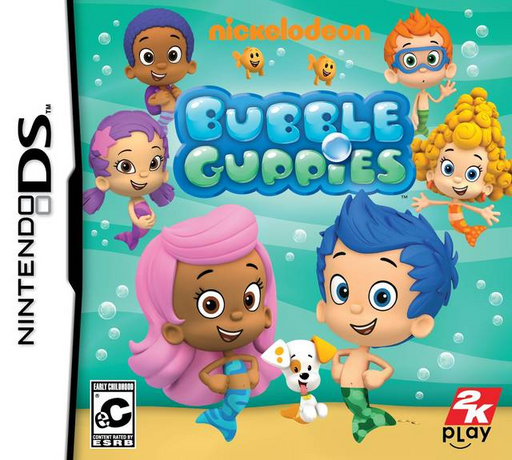
Play Bubble Guppies online. Help the Bubble Guppies prepare a racetrack by completing activities on a farm and in a city.
Browser play
Nintendo DS (NDS) — EmulatorJS controls
Default Player 1 keyboard mapping. Change keys in Controller Settings.
| Console button | Keyboard |
|---|---|
| ↑ / ↓ / ← / → | ↑ / ↓ / ← / → |
| A / B / X / Y | Z / X / A / S |
| L / R | Q / E |
| START / SELECT | Enter / V |
| Microphone | Not assigned |
Open Controller Settings to configure your keyboard or gamepad. Touch controls are available on mobile.
How to Play Bubble Guppies
Quick start
Start the adventure and complete the first matching or searching task. Gather the awarded track piece and follow the crew to the next location before building the car.
Controls
Use the touch screen for the activity’s choices and gestures. Wait until narration finishes, then tap or move the requested objects; follow the separate steering demonstration when the car section opens.
Bubble Guppies — About this game
Help the Bubble Guppies prepare a racetrack by completing activities on a farm and in a city. Match silhouettes, recognize animals, plant seeds and direct traffic to earn the pieces needed for the event. Later you build a car and drive the finished course. Listen to each spoken instruction before touching an answer; the game waits for the explanation to end before it accepts your action.
Bubble Guppies Game manuals
Cheats
No cheats have been added for this edition.
Player verification and sources
Browser play was reviewed before this edition was published in the catalogue. The date below is the catalogue publication date, not the game’s original release date.
- Browser test and catalogue publication date
- Browsers and devices
- PC: Chrome, Edge and Firefox. Mobile: Chrome on Android and Safari on iPhone and iPad.
- Player engine and core
- EmulatorJS 4.3.0-pre · nds
- Tested by
- rwEmulator
Sources and editorial basis
rwEmulator reviews edition metadata, release information, game manuals and first-hand browser-play notes. Available manuals are linked below; the editorial policy explains how facts are checked and corrections are handled.