More browsing paths
Play Burger Bot (US edition · English) Online
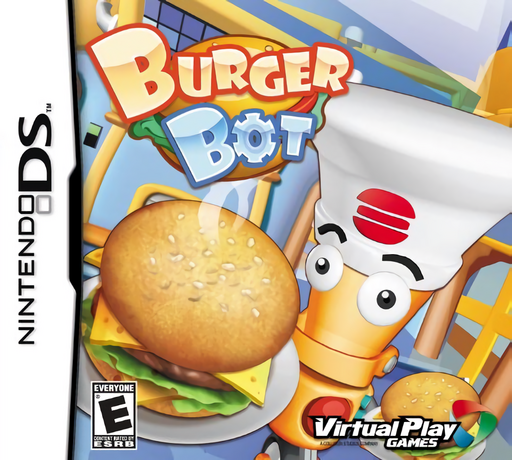
Burger Bot
Play Burger Bot online. Run a busy fast-food shift as a robotic server.
Browser play
Nintendo DS (NDS) — EmulatorJS controls
Default Player 1 keyboard mapping. Change keys in Controller Settings.
| Console button | Keyboard |
|---|---|
| ↑ / ↓ / ← / → | ↑ / ↓ / ← / → |
| A / B / X / Y | Z / X / A / S |
| L / R | Q / E |
| START / SELECT | Enter / V |
| Microphone | Not assigned |
Open Controller Settings to configure your keyboard or gamepad. Touch controls are available on mobile.
How to Play Burger Bot
Quick start
Begin the first shift and read the opening order. Follow the ingredient demonstration, make the requested burger and serve it before adding another unfinished order.
Controls
Use the stylus and touch screen to prepare ingredients and select orders. Follow the shown action for flipping patties, washing lettuce or cutting cheese, then choose the waiting customer for the finished food.
Burger Bot — About this game
Run a busy fast-food shift as a robotic server. Prepare ingredients, assemble the requested burgers and keep orders moving before customers become impatient. Cooking and service compete for your attention, so finish the right combination rather than sending out the nearest plate. Start by learning one preparation action, then build a rhythm that leaves enough time to deliver the completed food.
Burger Bot Game manuals
Cheats
No cheats have been added for this edition.
Player verification and sources
Browser play was reviewed before this edition was published in the catalogue. The date below is the catalogue publication date, not the game’s original release date.
- Browser test and catalogue publication date
- Browsers and devices
- PC: Chrome, Edge and Firefox. Mobile: Chrome on Android and Safari on iPhone and iPad.
- Player engine and core
- EmulatorJS 4.3.0-pre · nds
- Tested by
- rwEmulator
Sources and editorial basis
rwEmulator reviews edition metadata, release information, game manuals and first-hand browser-play notes. Available manuals are linked below; the editorial policy explains how facts are checked and corrections are handled.