More browsing paths
Play Butt-Ugly Martians: B.K.M. Battles (US edition) Online
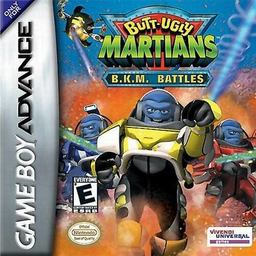
Butt-Ugly Martians: B.K.M. Battles
Play Butt-Ugly Martians: B.K.M. Battles online and check the verified Game Boy Advance controls, opening steps and first objective before you begin.
Browser play
Game Boy Advance (GBA) — EmulatorJS controls
Default Player 1 keyboard mapping. Change keys in Controller Settings.
| Console button | Keyboard |
|---|---|
| ↑ / ↓ / ← / → | ↑ / ↓ / ← / → |
| A / B | Z / X |
| L / R | Q / E |
| START / SELECT | Enter / V |
Open Controller Settings to configure your keyboard or gamepad. Touch controls are available on mobile.
How to Play Butt-Ugly Martians: B.K.M. Battles
Quick start
Press START, choose New Game and a difficulty; Easy reduces enemy numbers and toughness. In each level, collect every coloured key to remove the matching force fields, find the purple Memory Erase Crystal for Stoat Muldoon, then reach the teleporter and defeat the commander. Keep switching characters before a suit’s power is drained.
Controls
D-pad: move/highlight. A: fire blaster/confirm. B: change direction or return to the previous screen. L: use the MEC once found. R: view the level map. SELECT: switch available characters. START: pause menu.
Butt-Ugly Martians: B.K.M. Battles Game manuals
Cheats
No cheats have been added for this edition.
Player verification and sources
Browser play was reviewed before this edition was published in the catalogue. The date below is the catalogue publication date, not the game’s original release date.
- Browser test and catalogue publication date
- Browsers and devices
- PC: Chrome, Edge and Firefox. Mobile: Chrome on Android and Safari on iPhone and iPad.
- Player engine and core
- EmulatorJS 4.3.0-pre · gba
- Tested by
- rwEmulator
Sources and editorial basis
rwEmulator reviews edition metadata, release information, game manuals and first-hand browser-play notes. Available manuals are linked below; the editorial policy explains how facts are checked and corrections are handled.