More browsing paths
Play Cabal (US edition · English) Online
Cabal
Learn Cabal's NES aiming, running, rolling, firing and grenade controls, with practical advice for cover, armored enemies, five levels and co-op.
Browser play
Nintendo Entertainment System (NES) / Famicom — EmulatorJS controls
Default Player 1 keyboard mapping. Change keys in Controller Settings.
| Console button | Keyboard |
|---|---|
| ↑ / ↓ / ← / → | ↑ / ↓ / ← / → |
| A / B | Z / X |
| START / SELECT | Enter / V |
Open Controller Settings to configure your keyboard or gamepad. Touch controls are available on mobile.
How to Play Cabal
Quick start
Fire in short bursts, then move before enemy shots reach the foreground. Learn the roll immediately and save grenades for tanks, bosses or dense groups. Cover is destructible, so never treat it as permanent safety.
Controls
The D-pad moves the crosshair; Left/Right also moves the soldier. Hold B+Left/Right to run or B+Down+Left/Right to roll. A fires; hold A with Left/Right to move only the crosshair. Press A+Up together to throw a grenade.
Cabal — About this game
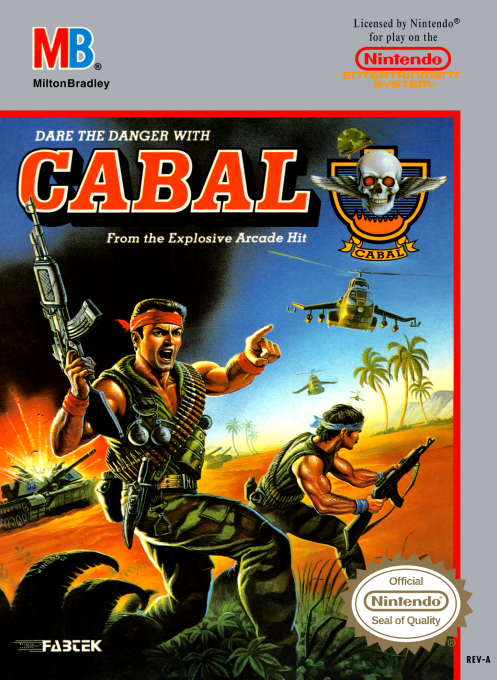
Cabal for NES is a behind-the-soldier shooting game spanning five levels of four scenes. One or two commandos aim into the background while dodging soldiers, tanks, helicopters and bombers. Firing fixes the soldier in place, so success depends on alternating short bursts with movement, preserving temporary cover, and saving limited grenades for armored threats.
Cheats
No cheats have been added for this edition.
Player verification and sources
Browser play was reviewed before this edition was published in the catalogue. The date below is the catalogue publication date, not the game’s original release date.
- Browser test and catalogue publication date
- Browsers and devices
- PC: Chrome, Edge and Firefox. Mobile: Chrome on Android and Safari on iPhone and iPad.
- Player engine and core
- EmulatorJS 4.3.0-pre · nes
- Tested by
- rwEmulator
Sources and editorial basis
rwEmulator reviews edition metadata, release information, game manuals and first-hand browser-play notes. Available manuals are linked below; the editorial policy explains how facts are checked and corrections are handled.