More browsing paths
Play Cadillac (Japan edition · Japanese) Online
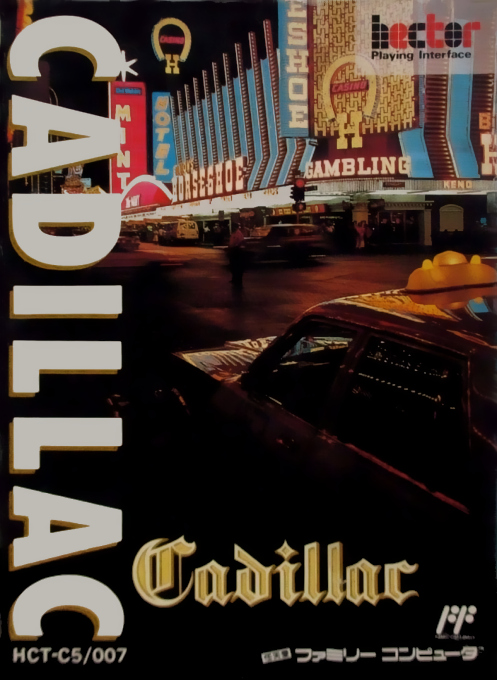
Cadillac
Play the FC version of "Cadillac" online. This is a card game that can be played by one player or by two players, using playing cards lined up in a 5x5 grid to create roles and increase funds. Check out the basic operations and how to proceed in the early stages and take on the challenge.
Browser play
Nintendo Entertainment System (NES) / Famicom — EmulatorJS controls
Default Player 1 keyboard mapping. Change keys in Controller Settings.
| Console button | Keyboard |
|---|---|
| ↑ / ↓ / ← / → | ↑ / ↓ / ← / → |
| A / B | Z / X |
| START / SELECT | Enter / V |
Open Controller Settings to configure your keyboard or gamepad. Touch controls are available on mobile.
How to Play Cadillac
Quick start
Select the number of people and difficulty level in the title and start with START. Use the cross button to select the board or card, and press A to confirm. If you want to go back in steps, use B. In situations where you want to think while checking the board, it is assumed that you will use the freeze display in B, but since there is a maximum limit of 99 seconds, you will need to narrow down the possible roles before using it. First of all, prioritize pairs and consecutive numbers that are easy to make vertically and horizontally.
Controls
Cross button: Move the menu and board cursor. A: Card selection, decision, normal suspension. B: Cancel/freeze with a time limit to think while the board is displayed. START: Start the game, decide the menu.
Cadillac — About this game
"Cadillac" is a card game where you arrange playing cards on a 5x5 board and complete poker-like roles to increase your bankroll. In addition to single-player play, it also supports two-player play where you take turns operating the same board, and you can play by choosing the difficulty level and rules. The main thing to do is to look at the arrangement of the 52 cards in the deck and consider the vertical and horizontal combinations and remaining funds when handling cards. There is a time limit to the freeze function that allows you to think while the board is temporarily visible, and if you use it too much as an aid for long thinking, you will lose the remaining time.
Cheats
No cheats have been added for this edition.
Player verification and sources
Browser play was reviewed before this edition was published in the catalogue. The date below is the catalogue publication date, not the game’s original release date.
- Browser test and catalogue publication date
- Browsers and devices
- PC: Chrome, Edge and Firefox. Mobile: Chrome on Android and Safari on iPhone and iPad.
- Player engine and core
- EmulatorJS 4.3.0-pre · nes
- Tested by
- rwEmulator
Sources and editorial basis
rwEmulator reviews edition metadata, release information, game manuals and first-hand browser-play notes. Available manuals are linked below; the editorial policy explains how facts are checked and corrections are handled.