More browsing paths
Play Caesars Palace Advance: Millennium Gold Edition (US edition) Online
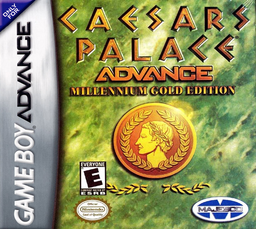
Caesars Palace Advance: Millennium Gold Edition
Play Caesars Palace Advance: Millennium Gold Edition online and check the verified Game Boy Advance controls, opening steps and first objective before you begin.
Browser play
Game Boy Advance (GBA) — EmulatorJS controls
Default Player 1 keyboard mapping. Change keys in Controller Settings.
| Console button | Keyboard |
|---|---|
| ↑ / ↓ / ← / → | ↑ / ↓ / ← / → |
| A / B | Z / X |
| L / R | Q / E |
| START / SELECT | Enter / V |
Open Controller Settings to configure your keyboard or gamepad. Touch controls are available on mobile.
How to Play Caesars Palace Advance: Millennium Gold Edition
Quick start
Press START to enter the Lobby, create your player name, then choose Blackjack, Table Games, Slots or Video Games. For a simple first round, open Blackjack, set a small Bet Unit in the chip tray and confirm the wager before choosing Hit or Stand. Preserve the password shown when leaving if you want to resume the same bankroll later.
Controls
D-pad: move lobby/menu highlights and select table positions. A: confirm, add a letter/chip, place wagers or choose an action. B: remove the previous letter/chip, reduce a bet or cancel. START: pause. Individual casino games show their legal actions on screen.
Caesars Palace Advance: Millennium Gold Edition Game manuals
Cheats
No cheats have been added for this edition.
Player verification and sources
Browser play was reviewed before this edition was published in the catalogue. The date below is the catalogue publication date, not the game’s original release date.
- Browser test and catalogue publication date
- Browsers and devices
- PC: Chrome, Edge and Firefox. Mobile: Chrome on Android and Safari on iPhone and iPad.
- Player engine and core
- EmulatorJS 4.3.0-pre · gba
- Tested by
- rwEmulator
Sources and editorial basis
rwEmulator reviews edition metadata, release information, game manuals and first-hand browser-play notes. Available manuals are linked below; the editorial policy explains how facts are checked and corrections are handled.