More browsing paths
Play Call of Duty 4: Modern Warfare (US edition · English) Online
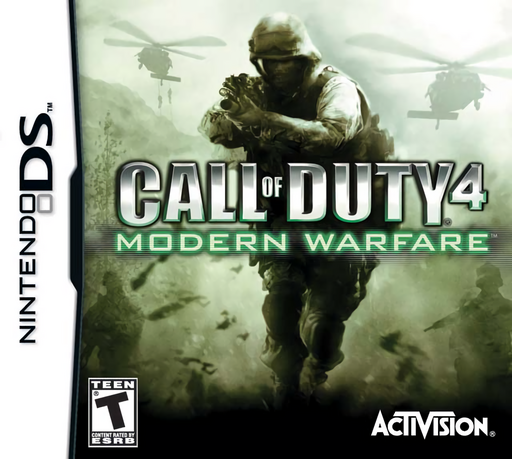
Call of Duty 4 - Modern Warfare
Play Call of Duty 4: Modern Warfare online. Take on the DS modern-war campaign with Marine and SAS missions, stylus gunplay and touch-screen field tasks.
Browser play
Nintendo DS (NDS) — EmulatorJS controls
Default Player 1 keyboard mapping. Change keys in Controller Settings.
| Console button | Keyboard |
|---|---|
| ↑ / ↓ / ← / → | ↑ / ↓ / ← / → |
| A / B / X / Y | Z / X / A / S |
| L / R | Q / E |
| START / SELECT | Enter / V |
| Microphone | Not assigned |
Open Controller Settings to configure your keyboard or gamepad. Touch controls are available on mobile.
How to Play Call of Duty 4: Modern Warfare
Quick start
Choose Single-Player and Campaign. Begin First to Fight and follow the weapons and explosives training rather than skipping ahead. Practice moving with the +Control Pad while aiming on the touch screen. Follow the objective marker and your squad, reload behind cover and touch the hand icon when an interaction is available. Quickplay opens missions already unlocked.
Controls
Use the +Control Pad to move, drag the stylus to look and aim, and press L or R to fire. Double-tap the touch screen to toggle the aiming view. Tap the weapon icon to reload; hold and drag it to switch weapons. Touch the hand icon to interact. Select a grenade, hold Fire and release to throw. Options provides left-handed controls.
Call of Duty 4: Modern Warfare — About this game
Call of Duty 4: Modern Warfare gives DS players a campaign following soldiers supporting the wider conflict. The opening First to Fight mission introduces weapons and explosives before the fighting escalates. Use the lower-screen map to distinguish enemies, allies and objectives, then advance from cover with your sights on the next task. Missions mix infantry combat with support roles, while touch-screen sequences handle jobs such as bomb disposal and door locks. Weapon and hand icons keep reloading, switching and interacting close to your aiming surface. Checkpoints save progress and Quickplay revisits unlocked stages, making it practical to return to a difficult section after learning its layout.
Call of Duty 4: Modern Warfare Game manuals
Cheats
No cheats have been added for this edition.
Player verification and sources
Browser play was reviewed before this edition was published in the catalogue. The date below is the catalogue publication date, not the game’s original release date.
- Browser test and catalogue publication date
- Browsers and devices
- PC: Chrome, Edge and Firefox. Mobile: Chrome on Android and Safari on iPhone and iPad.
- Player engine and core
- EmulatorJS 4.3.0-pre · nds
- Tested by
- rwEmulator
Sources and editorial basis
rwEmulator reviews edition metadata, release information, game manuals and first-hand browser-play notes. Available manuals are linked below; the editorial policy explains how facts are checked and corrections are handled.