More browsing paths
Play Castlequest (US edition · English) Online
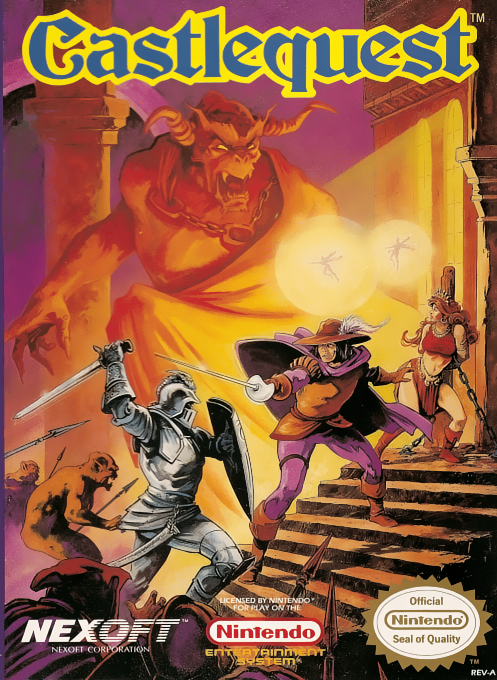
Castlequest
Learn Castlequest NES controls, colored-key planning, map use, sword and jump actions, Controller II sub-commands, and safe castle exploration.
Browser play
Nintendo Entertainment System (NES) / Famicom — EmulatorJS controls
Default Player 1 keyboard mapping. Change keys in Controller Settings.
| Console button | Keyboard |
|---|---|
| ↑ / ↓ / ← / → | ↑ / ↓ / ← / → |
| A / B | Z / X |
| START / SELECT | Enter / V |
Open Controller Settings to configure your keyboard or gamepad. Touch controls are available on mobile.
How to Play Castlequest
Quick start
Move carefully, collect the nearby map, and press SELECT whenever you need to check the current room. Count colored keys before opening doors and avoid spending them on routes that only loop back. Use A to jump and B to swing the sword. If movable objects trap Rafael, use the Controller II sub-command mode described by the manual instead of wasting all remaining lives.
Controls
Controller I — D-pad Left/Right: move; A: jump; B: use sword; SELECT: show current room after obtaining the map; START: start or pause. Controller II — A or B: open Sub-Command Mode, which includes recovery functions such as Reset.
Castlequest — About this game
Castlequest challenges Prince Rafael to cross a large interconnected castle filled with locked doors, elevators, hazards, enemies, and movable objects. Every colored door consumes a matching key, so opening the wrong route can leave the prince stranded. A map found near the beginning reveals the current room, while the unusual Controller II sub-command screen supplies reset and other utility functions needed when a puzzle position becomes unsalvageable.
Cheats
No cheats have been added for this edition.
Player verification and sources
Browser play was reviewed before this edition was published in the catalogue. The date below is the catalogue publication date, not the game’s original release date.
- Browser test and catalogue publication date
- Browsers and devices
- PC: Chrome, Edge and Firefox. Mobile: Chrome on Android and Safari on iPhone and iPad.
- Player engine and core
- EmulatorJS 4.3.0-pre · nes
- Tested by
- rwEmulator
Sources and editorial basis
rwEmulator reviews edition metadata, release information, game manuals and first-hand browser-play notes. Available manuals are linked below; the editorial policy explains how facts are checked and corrections are handled.