More browsing paths
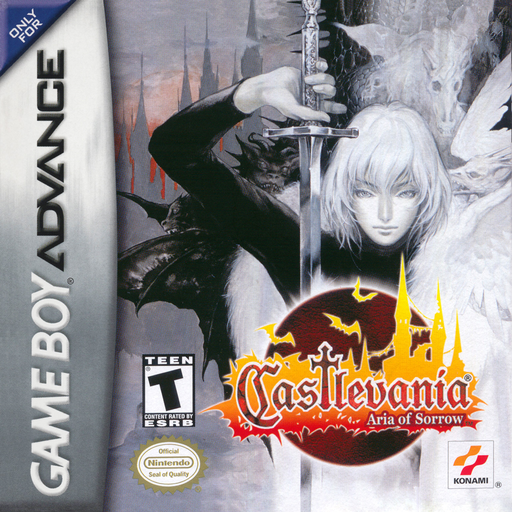
Play Castlevania: Aria of Sorrow (Europe edition) Online
Castlevania: Aria of Sorrow
Play Castlevania: Aria of Sorrow online and explore Dracula's castle, collecting enemy souls and equipping new abilities in this GBA action RPG.
Browser play
Game Boy Advance (GBA) — EmulatorJS controls
Default Player 1 keyboard mapping. Change keys in Controller Settings.
| Console button | Keyboard |
|---|---|
| ↑ / ↓ / ← / → | ↑ / ↓ / ← / → |
| A / B | Z / X |
| L / R | Q / E |
| START / SELECT | Enter / V |
Open Controller Settings to configure your keyboard or gamepad. Touch controls are available on mobile.
How to Play Castlevania: Aria of Sorrow
Quick start
Choose GAME START at the title screen and create a new file in one of the three slots. Enter the castle with Mina, defeat the first zombies to obtain a soul, then use the map to work toward the first save room and boss. Equip newly collected souls on the status screen before trying to use them.
Controls
Control Pad moves and crouches; Up enters doors or uses a save statue. A jumps, B attacks with the equipped weapon, Up+B uses a Bullet Soul, R uses a Guardian Soul, and L backdashes. After learning it, Down+A slides. START opens status and SELECT opens the map.
Castlevania: Aria of Sorrow Game manuals
Cheats
No cheats have been added for this edition.
Player verification and sources
Browser play was reviewed before this edition was published in the catalogue. The date below is the catalogue publication date, not the game’s original release date.
- Browser test and catalogue publication date
- Browsers and devices
- PC: Chrome, Edge and Firefox. Mobile: Chrome on Android and Safari on iPhone and iPad.
- Player engine and core
- EmulatorJS 4.3.0-pre · gba
- Tested by
- rwEmulator
Sources and editorial basis
rwEmulator reviews edition metadata, release information, game manuals and first-hand browser-play notes. Available manuals are linked below; the editorial policy explains how facts are checked and corrections are handled.