More browsing paths
Play Castlevania: Circle of the Moon (US edition) Online
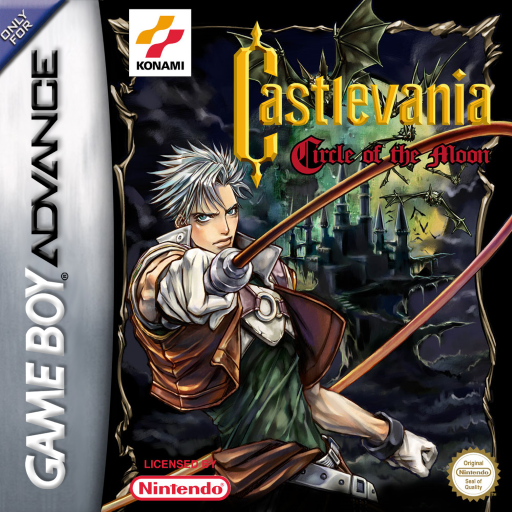
Castlevania: Circle of the Moon
Play Castlevania: Circle of the Moon online and climb from the Catacomb through Dracula's castle while experimenting with DSS card combinations in this GBA action RPG.
Browser play
Game Boy Advance (GBA) — EmulatorJS controls
Default Player 1 keyboard mapping. Change keys in Controller Settings.
| Console button | Keyboard |
|---|---|
| ↑ / ↓ / ← / → | ↑ / ↓ / ← / → |
| A / B | Z / X |
| L / R | Q / E |
| START / SELECT | Enter / V |
Open Controller Settings to configure your keyboard or gamepad. Touch controls are available on mobile.
How to Play Castlevania: Circle of the Moon
Quick start
At Crossroads, make a new file, enter a name and choose GAME START. Nathan begins in the Catacomb: climb through the castle, defeat enemies, and look for the first save room and relic. Once you have two cards, pair them on the DSS screen and toggle the effect with L.
Controls
The Control Pad moves and crouches. A jumps; B attacks with the whip and can be held to spin it; Up+B uses a sub-weapon; L toggles DSS; R performs the current relic action; START opens status and SELECT opens the map. After obtaining Kick Boots, Down+A slides; after Dash Boots, double-tap Left or Right to run.
Castlevania: Circle of the Moon Game manuals
- Castlevania - Circle of the Moon (USA).pdf
- Classic NES Series - Castlevania (USA).pdf
- Castlevania - Circle of the Moon [AGB-AAME-USA] Manual.pdf
- Castlevania (en).pdf
- Game manual 5
- Game manual 6
- Game manual 7
- Castlevania - Circle Of The Moon (EN_DE_FR_ES_IT).pdf
- Castlevania (en-gb,de,es,fr,it).pdf
- Game manual 10
- Game manual 11
Cheats
No cheats have been added for this edition.
Player verification and sources
Browser play was reviewed before this edition was published in the catalogue. The date below is the catalogue publication date, not the game’s original release date.
- Browser test and catalogue publication date
- Browsers and devices
- PC: Chrome, Edge and Firefox. Mobile: Chrome on Android and Safari on iPhone and iPad.
- Player engine and core
- EmulatorJS 4.3.0-pre · gba
- Tested by
- rwEmulator
Sources and editorial basis
rwEmulator reviews edition metadata, release information, game manuals and first-hand browser-play notes. Available manuals are linked below; the editorial policy explains how facts are checked and corrections are handled.
- Castlevania - Circle of the Moon (USA).pdf
- Classic NES Series - Castlevania (USA).pdf
- Castlevania - Circle of the Moon [AGB-AAME-USA] Manual.pdf
- Castlevania (en).pdf
- Game manual 5
- Game manual 6
- Game manual 7
- Castlevania - Circle Of The Moon (EN_DE_FR_ES_IT).pdf
- Castlevania (en-gb,de,es,fr,it).pdf
- Game manual 10
- Game manual 11