More browsing paths
Play Casual Mania (US edition) Online
Casual Mania
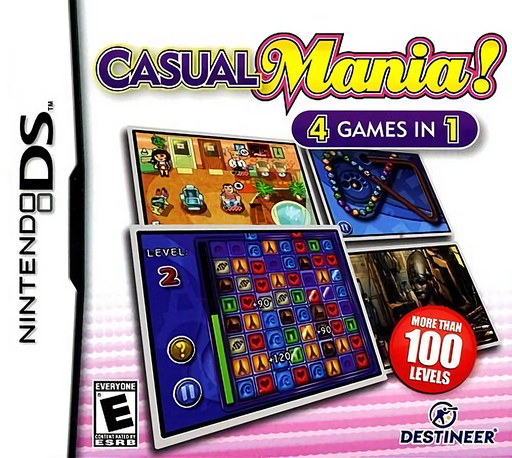
Play Casual Mania online. Find hidden objects, match gems, pop marbles and manage a busy beauty salon. See the Nintendo DS starting guide and controls.
Browser play
Nintendo DS (NDS) — EmulatorJS controls
Default Player 1 keyboard mapping. Change keys in Controller Settings.
| Console button | Keyboard |
|---|---|
| ↑ / ↓ / ← / → | ↑ / ↓ / ← / → |
| A / B / X / Y | Z / X / A / S |
| L / R | Q / E |
| START / SELECT | Enter / V |
| Microphone | Not assigned |
Open Controller Settings to configure your keyboard or gamepad. Touch controls are available on mobile.
How to Play Casual Mania
Quick start
Choose an activity and read its goal. Try one listed object or one match; in the salon, follow a customer's request through its service steps before handling several at once.
Controls
Use stylus taps and drags according to the selected activity. Touch listed objects, select gem moves, aim marble shots or direct salon service through the displayed targets.
Casual Mania — About this game
Casual Mania offers four separate activities instead of one puzzle campaign. Search an excavation beneath the Louvre for listed objects, form matching gem groups in 3 in a Row, aim colored balls in Marble Popper, or serve customers in Beauty Resort. The first three emphasize observation and matching, while the salon asks you to organize requests before queues become unmanageable. Pick one activity and learn its target first; a good move in the matching board does not solve the customer priorities of the salon.
Casual Mania Game manuals
Cheats
No cheats have been added for this edition.
Player verification and sources
Browser play was reviewed before this edition was published in the catalogue. The date below is the catalogue publication date, not the game’s original release date.
- Browser test and catalogue publication date
- Browsers and devices
- PC: Chrome, Edge and Firefox. Mobile: Chrome on Android and Safari on iPhone and iPad.
- Player engine and core
- EmulatorJS 4.3.0-pre · nds
- Tested by
- rwEmulator
Sources and editorial basis
rwEmulator reviews edition metadata, release information, game manuals and first-hand browser-play notes. Available manuals are linked below; the editorial policy explains how facts are checked and corrections are handled.