More browsing paths
Play Catz (Europe edition · English) Online
Catz
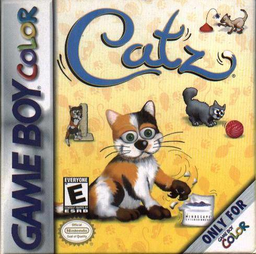
Play Catz online on GBC. Catz is a virtual-kitten companion about care, play and learning the animal's reactions.
Browser play
Game Boy Color (GBC) — EmulatorJS controls
Default Player 1 keyboard mapping. Change keys in Controller Settings.
| Console button | Keyboard |
|---|---|
| ↑ / ↓ / ← / → | ↑ / ↓ / ← / → |
| A / B | Z / X |
| START / SELECT | Enter / V |
Open Controller Settings to configure your keyboard or gamepad. Touch controls are available on mobile.
How to Play Catz
Quick start
Start a new pet session and meet the kitten. Inspect the available care icons, offer food if needed and try one toy. Watch the response before changing activity or returning to the main pet menu.
Controls
Use the D-pad to select icons, objects and menu choices. A confirms or interacts; B cancels or returns where allowed. Select feeding and play through the displayed care menu and let the chosen interaction finish before another command.
Catz — About this game
Begin with the cat's immediate needs before introducing another toy. Let an interaction play out so that you can see whether the animal engages or turns away. Returning to a familiar activity helps you notice changes in its behavior. A balanced routine of care and play gives each short visit a purpose, while repeated button presses can make it harder to see which action produced the response.
Cheats
No cheats have been added for this edition.
Player verification and sources
Browser play was reviewed before this edition was published in the catalogue. The date below is the catalogue publication date, not the game’s original release date.
- Browser test and catalogue publication date
- Browsers and devices
- PC: Chrome, Edge and Firefox. Mobile: Chrome on Android and Safari on iPhone and iPad.
- Player engine and core
- EmulatorJS 4.3.0-pre · gb
- Tested by
- rwEmulator
Sources and editorial basis
rwEmulator reviews edition metadata, release information, game manuals and first-hand browser-play notes. Available manuals are linked below; the editorial policy explains how facts are checked and corrections are handled.