More browsing paths
Play Championship Bowling (Japan edition · Japanese) Online
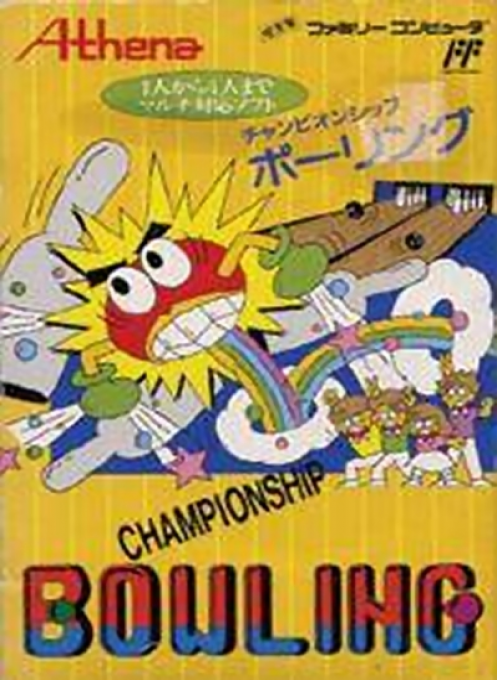
Championship Bowling
Learn Championship Bowling on NES: choose players and ball weight, set lane position, curve and power, and understand the A and B button controls.
Browser play
Nintendo Entertainment System (NES) / Famicom — EmulatorJS controls
Default Player 1 keyboard mapping. Change keys in Controller Settings.
| Console button | Keyboard |
|---|---|
| ↑ / ↓ / ← / → | ↑ / ↓ / ← / → |
| A / B | Z / X |
| START / SELECT | Enter / V |
Open Controller Settings to configure your keyboard or gamepad. Touch controls are available on mobile.
How to Play Championship Bowling
Quick start
Choose one to four players and a lane from the title screen, then select a bowler and ball weight. On the approach, move left or right to line up. Press A to begin the throw, press A when the curve marker reaches your target, and press A again when the power meter reaches the strength you want.
Controls
D-pad Left/Right: adjust the bowler's starting position and change menu choices. A: select options, begin a delivery, and lock in curve and power. B: display the running score frame by frame during play. Select and Start have no gameplay function.
Championship Bowling — About this game
Championship Bowling recreates a ten-frame match for one to four players. After choosing the player count and lane, each competitor selects a bowler and one of five ball weights. Every delivery is set in three steps: move the bowler to the desired starting position, stop the moving curve indicator, then stop the power meter. Lighter balls offer more curve while heavier balls trade maneuverability for greater power, so spares reward deliberate setup rather than button mashing.
Cheats
No cheats have been added for this edition.
Player verification and sources
Browser play was reviewed before this edition was published in the catalogue. The date below is the catalogue publication date, not the game’s original release date.
- Browser test and catalogue publication date
- Browsers and devices
- PC: Chrome, Edge and Firefox. Mobile: Chrome on Android and Safari on iPhone and iPad.
- Player engine and core
- EmulatorJS 4.3.0-pre · nes
- Tested by
- rwEmulator
Sources and editorial basis
rwEmulator reviews edition metadata, release information, game manuals and first-hand browser-play notes. Available manuals are linked below; the editorial policy explains how facts are checked and corrections are handled.