More browsing paths
Play Ciao Dream Touch! - Happy Anniversary (Japan edition · Japanese) Online
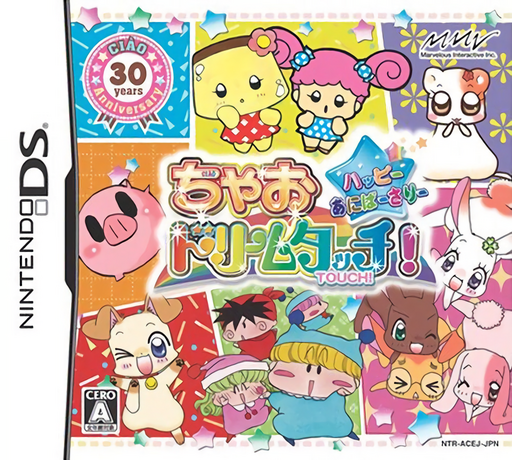
Ciao Dream Touch! - Happy Anniversary
Play Ciao Dream Touch! - Happy Anniversary online. Meet Ciao mascots, gather materials and give presents to collect treasures. See the Nintendo DS starting guide and controls.
Browser play
Nintendo DS (NDS) — EmulatorJS controls
Default Player 1 keyboard mapping. Change keys in Controller Settings.
| Console button | Keyboard |
|---|---|
| ↑ / ↓ / ← / → | ↑ / ↓ / ← / → |
| A / B / X / Y | Z / X / A / S |
| L / R | Q / E |
| START / SELECT | Enter / V |
| Microphone | Not assigned |
Open Controller Settings to configure your keyboard or gamepad. Touch controls are available on mobile.
How to Play Ciao Dream Touch! - Happy Anniversary
Quick start
Follow the opening tutorial, choose an area and talk to a requesting character. Gather nearby materials, obtain a matching present and return to give it.
Controls
Use the displayed movement controls and touch characters or objects to talk and collect. Select exchanges and presents through the menus, checking the recipient's request before confirming.
Ciao Dream Touch! - Happy Anniversary — About this game
Ciao Dream Touch! makes its anniversary gathering into an exploration and gift-exchange adventure. Travel from the spaceship hub to areas where mascot characters have requests, collect materials and exchange them for suitable presents. Giving the right item develops the relationship and helps the treasure collection advance. Begin by talking to someone with a request, remember what they want and inspect the nearby area before leaving. Keep materials and finished presents distinct: finding a plant part is not necessarily the same as obtaining the gift a character asked for.
Ciao Dream Touch! - Happy Anniversary Game manuals
Cheats
No cheats have been added for this edition.
Player verification and sources
Browser play was reviewed before this edition was published in the catalogue. The date below is the catalogue publication date, not the game’s original release date.
- Browser test and catalogue publication date
- Browsers and devices
- PC: Chrome, Edge and Firefox. Mobile: Chrome on Android and Safari on iPhone and iPad.
- Player engine and core
- EmulatorJS 4.3.0-pre · nds
- Tested by
- rwEmulator
Sources and editorial basis
rwEmulator reviews edition metadata, release information, game manuals and first-hand browser-play notes. Available manuals are linked below; the editorial policy explains how facts are checked and corrections are handled.