More browsing paths
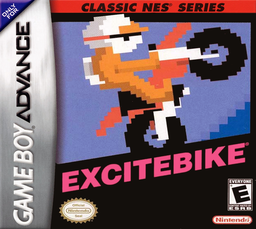
Play Classic NES Series: Excitebike (Japan edition) Online
Famicom Mini: Excitebike
Enjoy the Famicom version of motocross on GBA, where you aim for the qualifying time by managing lane movement, air position, and engine temperature.
Browser play
Game Boy Advance (GBA) — EmulatorJS controls
Default Player 1 keyboard mapping. Change keys in Controller Settings.
| Console button | Keyboard |
|---|---|
| ↑ / ↓ / ← / → | ↑ / ↓ / ← / → |
| A / B | Z / X |
| L / R | Q / E |
| START / SELECT | Enter / V |
Open Controller Settings to configure your keyboard or gamepad. Touch controls are available on mobile.
How to Play Classic NES Series: Excitebike
Quick start
If you want to practice alone, choose "SELECTION A"; if you want to compete with other riders, choose "B". To beat the set time on the first course, he changed lanes in front of obstacles, tilted his car in the air, and landed horizontally. Return the B turbo to A before the temperature gauge reaches its peak.
Controls
Up/down: Lane movement, Left/Right: Air attitude/front wheel angle, A: Normal acceleration, B: Turbo, START: Pause. L+R to continue/reset/save score/sleep GBA system menu.
Classic NES Series: Excitebike Game manuals
Cheats
No cheats have been added for this edition.
Player verification and sources
Browser play was reviewed before this edition was published in the catalogue. The date below is the catalogue publication date, not the game’s original release date.
- Browser test and catalogue publication date
- Browsers and devices
- PC: Chrome, Edge and Firefox. Mobile: Chrome on Android and Safari on iPhone and iPad.
- Player engine and core
- EmulatorJS 4.3.0-pre · gba
- Tested by
- rwEmulator
Sources and editorial basis
rwEmulator reviews edition metadata, release information, game manuals and first-hand browser-play notes. Available manuals are linked below; the editorial policy explains how facts are checked and corrections are handled.