More browsing paths
Play Code Geass: Hangyaku no Lelouch (Japan edition) Online
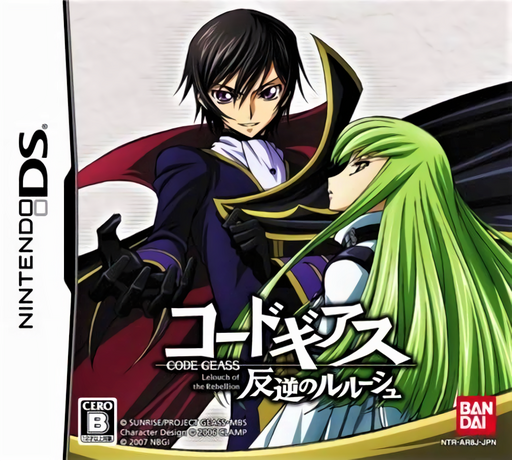
Code Geass - Hangyaku no Lelouch
Play Code Geass: Hangyaku no Lelouch online. Use Geass commands and RPG decisions to guide Lelouch through a changing story. See the Nintendo DS starting guide and controls.
Browser play
Nintendo DS (NDS) — EmulatorJS controls
Default Player 1 keyboard mapping. Change keys in Controller Settings.
| Console button | Keyboard |
|---|---|
| ↑ / ↓ / ← / → | ↑ / ↓ / ← / → |
| A / B / X / Y | Z / X / A / S |
| L / R | Q / E |
| START / SELECT | Enter / V |
| Microphone | Not assigned |
Open Controller Settings to configure your keyboard or gamepad. Touch controls are available on mobile.
How to Play Code Geass: Hangyaku no Lelouch
Quick start
Begin the story, read the first Geass situation and select a displayed command. Use the touch option if preferred, then inspect the next objective before advancing.
Controls
Select DS dialogue and RPG commands through the shown interface. For Geass, speak the displayed choice into the microphone or tap that choice on the lower screen; voice input is not compulsory.
Code Geass: Hangyaku no Lelouch — About this game
The first Code Geass DS game adapts the anime as a Geass RPG rather than the later R2 board-game collection. Lelouch's power becomes an interactive choice: the lower screen shows commands that can be spoken into the microphone or selected by touch. What you command can send events along a different path from the anime, so read the situation before choosing the most forceful-looking answer. Start with the opening story and its first command prompt, learn the touch alternative and then follow the current objective through dialogue and RPG encounters.
Code Geass: Hangyaku no Lelouch Game manuals
Cheats
No cheats have been added for this edition.
Player verification and sources
Browser play was reviewed before this edition was published in the catalogue. The date below is the catalogue publication date, not the game’s original release date.
- Browser test and catalogue publication date
- Browsers and devices
- PC: Chrome, Edge and Firefox. Mobile: Chrome on Android and Safari on iPhone and iPad.
- Player engine and core
- EmulatorJS 4.3.0-pre · nds
- Tested by
- rwEmulator
Sources and editorial basis
rwEmulator reviews edition metadata, release information, game manuals and first-hand browser-play notes. Available manuals are linked below; the editorial policy explains how facts are checked and corrections are handled.