More browsing paths
Play Color Cross (US edition · English / French / Spanish) Online
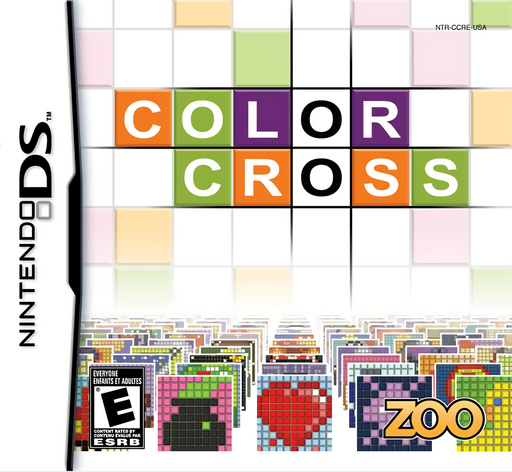
Color Cross
Play Color Cross online. Read coloured row and column clues, fill picture grids and learn palette selection and first-puzzle practice on Nintendo DS.
Browser play
Nintendo DS (NDS) — EmulatorJS controls
Default Player 1 keyboard mapping. Change keys in Controller Settings.
| Console button | Keyboard |
|---|---|
| ↑ / ↓ / ← / → | ↑ / ↓ / ← / → |
| A / B / X / Y | Z / X / A / S |
| L / R | Q / E |
| START / SELECT | Enter / V |
| Microphone | Not assigned |
Open Controller Settings to configure your keyboard or gamepad. Touch controls are available on mobile.
How to Play Color Cross
Quick start
Read the tutorial, then choose an available early grid. Pick a colour from the palette and compare its row and column clues. Fill only cells supported by both directions, then switch colours to use the new information. Mark uncertain locations with the available marking tool and check the clues again before committing more cells.
Controls
Use the stylus to choose a colour from the side palette and fill cells on the touch-screen grid. Switch colours as you compare the clue runs. Use the displayed marking option for suspected locations and the view controls when a larger grid needs inspection.
Color Cross — About this game
Color Cross builds pictures from the numbers along each row and column. Each clue describes a run of cells in a particular colour, so filling one part of the image helps narrow the remaining possibilities elsewhere. Work between colours instead of treating one layer as an unrelated puzzle. Completed grids reveal sections of larger pictures and open further challenges. Marking suspected locations can help you keep track of a deduction without guessing blindly, and mistakes affect the recorded time. A useful approach is to find a row with a clear placement, then check its crossings before extending the next run.
Color Cross Game manuals
Cheats
No cheats have been added for this edition.
Player verification and sources
Browser play was reviewed before this edition was published in the catalogue. The date below is the catalogue publication date, not the game’s original release date.
- Browser test and catalogue publication date
- Browsers and devices
- PC: Chrome, Edge and Firefox. Mobile: Chrome on Android and Safari on iPhone and iPad.
- Player engine and core
- EmulatorJS 4.3.0-pre · nds
- Tested by
- rwEmulator
Sources and editorial basis
rwEmulator reviews edition metadata, release information, game manuals and first-hand browser-play notes. Available manuals are linked below; the editorial policy explains how facts are checked and corrections are handled.