More browsing paths
Play Contact (US edition · English) Online
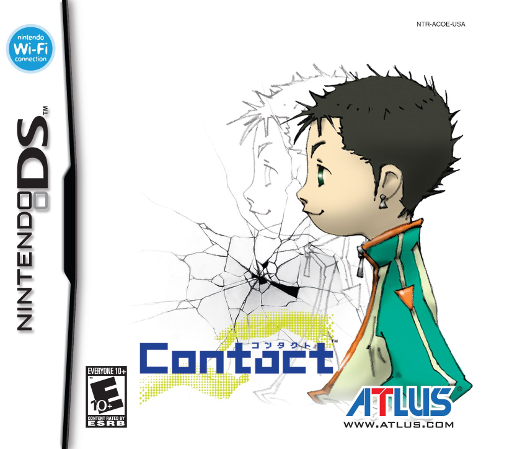
Contact
Play Contact online. Guide Terry through strange islands while a Professor on the upper screen speaks directly to you. Learn how to start and use the original Nintendo DS controls.
Browser play
Nintendo DS (NDS) — EmulatorJS controls
Default Player 1 keyboard mapping. Change keys in Controller Settings.
| Console button | Keyboard |
|---|---|
| ↑ / ↓ / ← / → | ↑ / ↓ / ← / → |
| A / B / X / Y | Z / X / A / S |
| L / R | Q / E |
| START / SELECT | Enter / V |
| Microphone | Not assigned |
Open Controller Settings to configure your keyboard or gamepad. Touch controls are available on mobile.
How to Play Contact
Quick start
Tap the Professor to advance the opening and enter the requested profile information. After the crash, tap Terry to wake him, then follow the northern cave route to the ship. Speak to the Professor, use Terry’s bed to save and equip a weapon before testing battle mode nearby.
Controls
D-Pad: move/select. A: talk, examine and confirm. B: enter or leave battle mode; cancel menus. X: main menu. Y: Tech menu during battle. L: switch targets/menu pages. R: Trick Decals/menu pages. Touch: guide Terry and use menus or decals. Normal attacks happen automatically in battle mode.
Contact — About this game
Contact gives you a role outside Terry’s world: the Professor can see the player and asks for help recovering the power cells scattered from his damaged ship. Terry explores below while the Professor remains on the upper screen. Combat hinges on positioning and preparation rather than pressing a button for every swing. Enter battle mode, get within range and let Terry attack, then choose Techs, equipment or recovery items as needed. New costumes open different abilities, while using weapons builds their related skills. The ship provides a place to heal, save and prepare for the next island.
Contact Game manuals
Cheats
No cheats have been added for this edition.
Player verification and sources
Browser play was reviewed before this edition was published in the catalogue. The date below is the catalogue publication date, not the game’s original release date.
- Browser test and catalogue publication date
- Browsers and devices
- PC: Chrome, Edge and Firefox. Mobile: Chrome on Android and Safari on iPhone and iPad.
- Player engine and core
- EmulatorJS 4.3.0-pre · nds
- Tested by
- rwEmulator
Sources and editorial basis
rwEmulator reviews edition metadata, release information, game manuals and first-hand browser-play notes. Available manuals are linked below; the editorial policy explains how facts are checked and corrections are handled.