More browsing paths
Play Cookin' Idol I! My! Mine! - Game de Hirameki! Kirameki! Cooking (Japan edition · Japanese) Online
Cookin' Idol I! My! Mine! - Game de Hirameki! Kirameki! Cooking
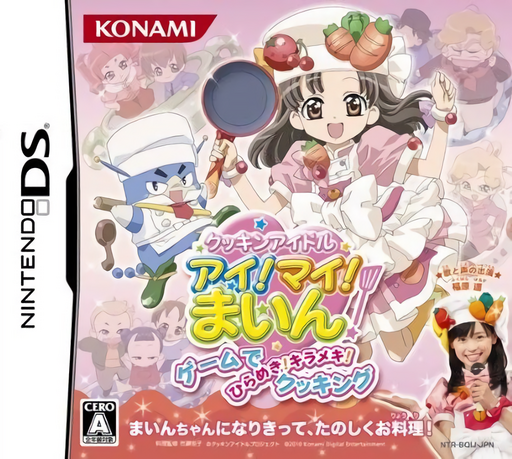
Play Cookin' Idol I! My! Mine! - Game de Hirameki! Kirameki! Cooking online. Cook as Main to the beat, fulfill viewers' requests and decorate the finished dish. See the Nintendo DS starting guide and controls.
Browser play
Nintendo DS (NDS) — EmulatorJS controls
Default Player 1 keyboard mapping. Change keys in Controller Settings.
| Console button | Keyboard |
|---|---|
| ↑ / ↓ / ← / → | ↑ / ↓ / ← / → |
| A / B / X / Y | Z / X / A / S |
| L / R | Q / E |
| START / SELECT | Enter / V |
| Microphone | Not assigned |
Open Controller Settings to configure your keyboard or gamepad. Touch controls are available on mobile.
How to Play Cookin' Idol I! My! Mine! - Game de Hirameki! Kirameki! Cooking
Quick start
Follow the opening request and ingredient guidance, play the first rhythm-cooking sequence and arrange the result with available plate and topping choices.
Controls
Use the stylus for the cooking actions displayed in time with music. Choose ingredients and plating decorations through the touch interface; follow the current rhythm pattern before repeating a gesture.
Cookin' Idol I! My! Mine! - Game de Hirameki! Kirameki! Cooking — About this game
Game de Hirameki! Kirameki! Cooking puts Main on a cooking programme. Gather ingredients for the requested dish, then perform cooking as rhythm action to songs sung by her actor. Timing is part of preparation, not just a race to finish a recipe. Afterward, choose tableware, side dishes and toppings to arrange the result. Begin by reading a viewer's request and following one musical cooking sequence. Listen for the beat and watch the displayed action before tapping, then take time to plate the dish rather than treating the final screen as only a score.
Cookin' Idol I! My! Mine! - Game de Hirameki! Kirameki! Cooking Game manuals
Cheats
No cheats have been added for this edition.
Player verification and sources
Browser play was reviewed before this edition was published in the catalogue. The date below is the catalogue publication date, not the game’s original release date.
- Browser test and catalogue publication date
- Browsers and devices
- PC: Chrome, Edge and Firefox. Mobile: Chrome on Android and Safari on iPhone and iPad.
- Player engine and core
- EmulatorJS 4.3.0-pre · nds
- Tested by
- rwEmulator
Sources and editorial basis
rwEmulator reviews edition metadata, release information, game manuals and first-hand browser-play notes. Available manuals are linked below; the editorial policy explains how facts are checked and corrections are handled.