More browsing paths
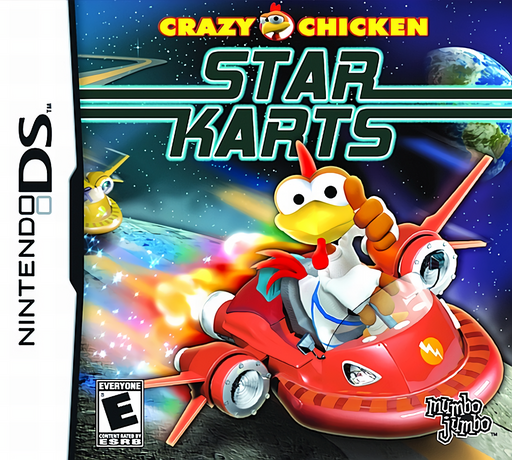
Play Crazy Chicken - Star Karts (US edition · English / French / German / Spanish / Italian) Online
Crazy Chicken - Star Karts
Play Crazy Chicken - Star Karts online. Race hover karts through space and use track pickups to disrupt rivals. See the Nintendo DS starting guide and controls.
Browser play
Nintendo DS (NDS) — EmulatorJS controls
Default Player 1 keyboard mapping. Change keys in Controller Settings.
| Console button | Keyboard |
|---|---|
| ↑ / ↓ / ← / → | ↑ / ↓ / ← / → |
| A / B / X / Y | Z / X / A / S |
| L / R | Q / E |
| START / SELECT | Enter / V |
| Microphone | Not assigned |
Open Controller Settings to configure your keyboard or gamepad. Touch controls are available on mobile.
How to Play Crazy Chicken - Star Karts
Quick start
Choose an available driver and race, then complete a lap while learning the bends. Try a pickup on a safe straight before entering a championship challenge.
Controls
Steer with the D-pad and use the shown acceleration, braking and weapon controls. Check the DS control display for the exact buttons before racing; touch-menu selection does not imply touch steering.
Crazy Chicken - Star Karts — About this game
Star Karts puts Crazy Chicken's race in a cartoon intergalactic setting. Learn the corners while collecting weapons that can interrupt an opponent's run, then work through championship challenges toward stronger karts. A pickup is most useful when a rival is in a suitable position; chasing every item can cost more time than taking a clean bend. Start with an available race and practise steering, slowing for a corner and returning to the racing line before relying on attacks. Watch the course ahead after firing so the next obstacle does not undo the advantage.
Crazy Chicken - Star Karts Game manuals
Cheats
No cheats have been added for this edition.
Player verification and sources
Browser play was reviewed before this edition was published in the catalogue. The date below is the catalogue publication date, not the game’s original release date.
- Browser test and catalogue publication date
- Browsers and devices
- PC: Chrome, Edge and Firefox. Mobile: Chrome on Android and Safari on iPhone and iPad.
- Player engine and core
- EmulatorJS 4.3.0-pre · nds
- Tested by
- rwEmulator
Sources and editorial basis
rwEmulator reviews edition metadata, release information, game manuals and first-hand browser-play notes. Available manuals are linked below; the editorial policy explains how facts are checked and corrections are handled.