More browsing paths
Play Crazy Frog Collectables - Art School (Europe edition · English / French / German / Spanish / Italian) Online
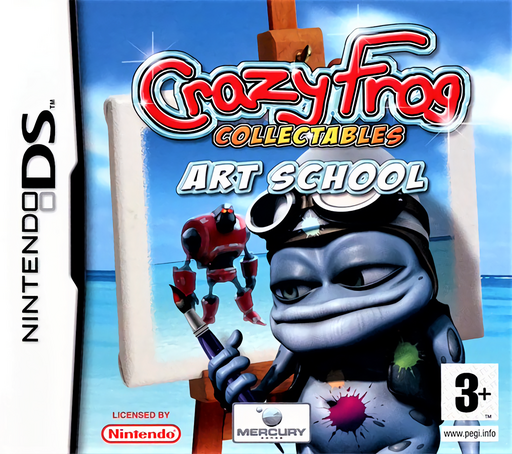
Crazy Frog Collectables - Art School
Play Crazy Frog Collectables - Art School online. Paint Crazy Frog pictures and take a break with memory and cursor challenges. See the Nintendo DS starting guide and controls.
Browser play
Nintendo DS (NDS) — EmulatorJS controls
Default Player 1 keyboard mapping. Change keys in Controller Settings.
| Console button | Keyboard |
|---|---|
| ↑ / ↓ / ← / → | ↑ / ↓ / ← / → |
| A / B / X / Y | Z / X / A / S |
| L / R | Q / E |
| START / SELECT | Enter / V |
| Microphone | Not assigned |
Open Controller Settings to configure your keyboard or gamepad. Touch controls are available on mobile.
How to Play Crazy Frog Collectables - Art School
Quick start
Create the user signature when requested, choose a drawing and test a brush on a large region. Save the result, then try a Take A Break activity.
Controls
Use the stylus to select colors and tools and draw on the picture. Mini-games ask for taps, sliding pieces or careful cursor dragging; follow the selected game's instructions.
Crazy Frog Collectables - Art School — About this game
Art School combines a digital coloring book with short games. Choose a picture, brush and color, build the image gradually and save a finished work to the gallery. Take A Break changes the task to activities such as repeating a color sequence, a sliding puzzle or guiding a cursor through a narrow course. Start with a broad area of one picture to learn the brush before attempting small details. If you want a scored challenge, select a mini-game and its difficulty instead of expecting the painting page to behave like a race.
Crazy Frog Collectables - Art School Game manuals
Cheats
No cheats have been added for this edition.
Player verification and sources
Browser play was reviewed before this edition was published in the catalogue. The date below is the catalogue publication date, not the game’s original release date.
- Browser test and catalogue publication date
- Browsers and devices
- PC: Chrome, Edge and Firefox. Mobile: Chrome on Android and Safari on iPhone and iPad.
- Player engine and core
- EmulatorJS 4.3.0-pre · nds
- Tested by
- rwEmulator
Sources and editorial basis
rwEmulator reviews edition metadata, release information, game manuals and first-hand browser-play notes. Available manuals are linked below; the editorial policy explains how facts are checked and corrections are handled.