More browsing paths
Play Croods, The - Prehistoric Party! (US edition · English / French / Spanish) Online
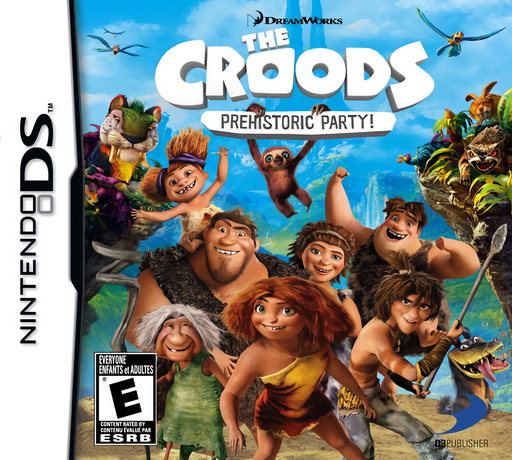
Croods, The - Prehistoric Party!
Play Croods, The - Prehistoric Party! online. Explore the Croods' hub, play a mini-game tournament and unlock creature cards and gallery pictures. Read the Nintendo DS starting guide and controls.
Browser play
Nintendo DS (NDS) — EmulatorJS controls
Default Player 1 keyboard mapping. Change keys in Controller Settings.
| Console button | Keyboard |
|---|---|
| ↑ / ↓ / ← / → | ↑ / ↓ / ← / → |
| A / B / X / Y | Z / X / A / S |
| L / R | Q / E |
| START / SELECT | Enter / V |
| Microphone | Not assigned |
Open Controller Settings to configure your keyboard or gamepad. Touch controls are available on mobile.
How to Play Croods, The - Prehistoric Party!
Quick start
Move around the hub and approach the Macawnivore puppet. Use Y to interact, choose Quick Game and read that game's tutorial. Follow the controls shown for the activity, then try Tournament when you want a sequence of games. Visit the Cave to inspect unlocked cards and pictures.
Controls
In the hub, the Control Pad moves, B jumps and Y attacks or interacts. Use the touch screen to navigate and select menu options. Each mini-game has its own in-game control tutorial. START pauses and opens the pause menu. Finish a series or exit to the hub to let the automatic save record progress.
Croods, The - Prehistoric Party! — About this game
The DS edition centres on a hub from which the Croods enter short mini-game challenges. Visit the Macawnivore puppet to choose Tournament for a series of games, or Quick Game for a single contest. The Cave holds creature cards and gallery pictures to view and unlock. Moving around the hub, jumping and interacting are separate from the actions used within each mini-game, so read its tutorial before starting. Try a single game to learn its timing, then use Tournament to move between different challenges. Progress is saved after a series or when you return to the hub, making completed sessions a useful place to pause.
Croods, The - Prehistoric Party! Game manuals
Cheats
No cheats have been added for this edition.
Player verification and sources
Browser play was reviewed before this edition was published in the catalogue. The date below is the catalogue publication date, not the game’s original release date.
- Browser test and catalogue publication date
- Browsers and devices
- PC: Chrome, Edge and Firefox. Mobile: Chrome on Android and Safari on iPhone and iPad.
- Player engine and core
- EmulatorJS 4.3.0-pre · nds
- Tested by
- rwEmulator
Sources and editorial basis
rwEmulator reviews edition metadata, release information, game manuals and first-hand browser-play notes. Available manuals are linked below; the editorial policy explains how facts are checked and corrections are handled.