More browsing paths
Play CrossworDS (US_AU edition · English) Online
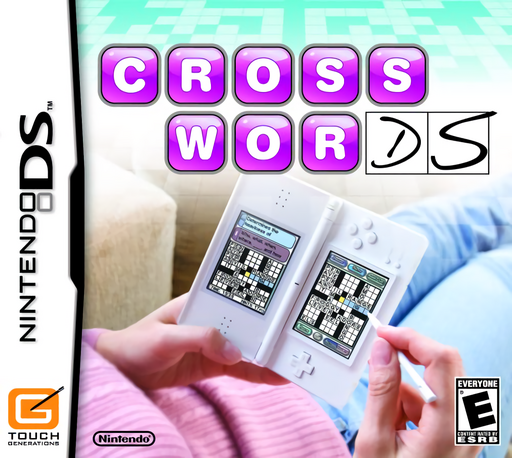
CrossworDS
Play CrossworDS online. Write crossword answers, trace hidden words and rearrange letter tiles across three DS puzzle modes. Learn how to start and use the original Nintendo DS controls.
Browser play
Nintendo DS (NDS) — EmulatorJS controls
Default Player 1 keyboard mapping. Change keys in Controller Settings.
| Console button | Keyboard |
|---|---|
| ↑ / ↓ / ← / → | ↑ / ↓ / ← / → |
| A / B / X / Y | Z / X / A / S |
| L / R | Q / E |
| START / SELECT | Enter / V |
| Microphone | Not assigned |
Open Controller Settings to configure your keyboard or gamepad. Touch controls are available on mobile.
How to Play CrossworDS
Quick start
Try Training to learn a mode, then choose Main Game and New Profile. Select your writing hand and write your name one letter at a time. Choose Crosswords, an available difficulty and a numbered puzzle, then Select. Tap a square, zoom in and write a letter in the yellow box.
Controls
Touch menus and puzzle cells. Crosswords: select a cell, tap Zoom or the selected cell again, then write a letter. Wordsearch: drag along the whole word and lift the stylus. Anagrams: drag tiles into the holders and tap the submit icon. On-screen arrows scroll pages, lists or large grids.
CrossworDS — About this game
CrossworDS brings three forms of wordplay together. Crosswords asks you to interpret clues and write letters into the grid with the stylus. Wordsearch shifts to spotting listed words among a field of letters, while Anagrams uses movable tiles to build as many valid words as possible. Tutorials introduce each mode, and the profile stores progress as further difficulties and bonus puzzles open. Crossword hints provide help at the cost of Hint Points and added time, so choosing when to use them affects the result. The touch interface gives each puzzle type its own natural gesture rather than one shared input method.
CrossworDS Game manuals
Cheats
No cheats have been added for this edition.
Player verification and sources
Browser play was reviewed before this edition was published in the catalogue. The date below is the catalogue publication date, not the game’s original release date.
- Browser test and catalogue publication date
- Browsers and devices
- PC: Chrome, Edge and Firefox. Mobile: Chrome on Android and Safari on iPhone and iPad.
- Player engine and core
- EmulatorJS 4.3.0-pre · nds
- Tested by
- rwEmulator
Sources and editorial basis
rwEmulator reviews edition metadata, release information, game manuals and first-hand browser-play notes. Available manuals are linked below; the editorial policy explains how facts are checked and corrections are handled.