More browsing paths
Play Daigassou! Band-Brothers (Japan edition · Japanese) Online
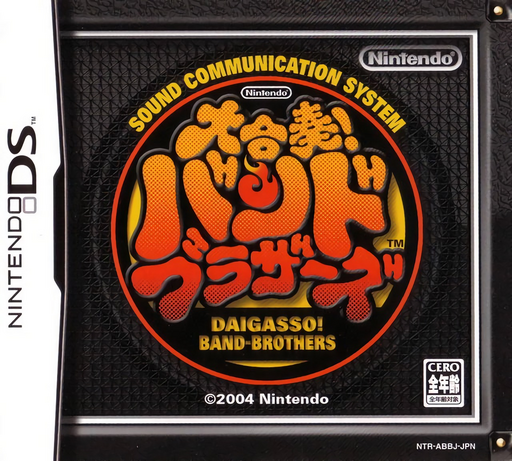
Daigassou! Band-Brothers
Play Daigassou! Band-Brothers online. Play an instrument part in a band by matching DS button notes to the song.
Browser play
Nintendo DS (NDS) — EmulatorJS controls
Default Player 1 keyboard mapping. Change keys in Controller Settings.
| Console button | Keyboard |
|---|---|
| ↑ / ↓ / ← / → | ↑ / ↓ / ← / → |
| A / B / X / Y | Z / X / A / S |
| L / R | Q / E |
| START / SELECT | Enter / V |
| Microphone | Not assigned |
Open Controller Settings to configure your keyboard or gamepad. Touch controls are available on mobile.
How to Play Daigassou! Band-Brothers
Quick start
Choose a song, an instrument part and a comfortable difficulty. Watch the first notes and play along with their timing rather than pressing early. Practice the same part until its repeated pattern feels familiar, then try a different instrument to hear how it supports the arrangement.
Controls
Follow the DS button symbols displayed by the selected difficulty. Beginner input is simpler; advanced parts use directional and face-button notes, with shoulder modifiers when indicated. Hold a sustained note for its shown length and release before the next input. Use menus to change part, not the performance buttons at random.
Daigassou! Band-Brothers — About this game
The original Daigassou! Band-Brothers lets you follow individual instrument parts rather than simply tap a single beat for the whole song. Pick a familiar tune and start with an easier part to learn the scrolling notation. Each sound belongs in the arrangement, so listen as well as watch: entering too soon can disrupt a repeated phrase. Higher difficulties ask for more detailed button-note handling, while sustained notes need a controlled hold. Work through one part before switching to another and compare how melody, bass and rhythm fit. This is the original DS title, with its own repertoire and difficulty system rather than the later DX release's features.
Cheats
No cheats have been added for this edition.
Player verification and sources
Browser play was reviewed before this edition was published in the catalogue. The date below is the catalogue publication date, not the game’s original release date.
- Browser test and catalogue publication date
- Browsers and devices
- PC: Chrome, Edge and Firefox. Mobile: Chrome on Android and Safari on iPhone and iPad.
- Player engine and core
- EmulatorJS 4.3.0-pre · nds
- Tested by
- rwEmulator
Sources and editorial basis
rwEmulator reviews edition metadata, release information, game manuals and first-hand browser-play notes. Available manuals are linked below; the editorial policy explains how facts are checked and corrections are handled.