More browsing paths
Play Dance Dance Revolution GB (Japan edition · Japanese) Online
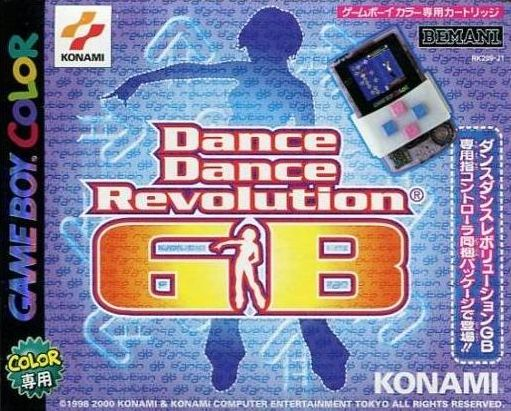
Dance Dance Revolution GB
Play Dance Dance Revolution GB online on Game Boy Color. Follow scrolling arrows and match musical timing in Dance Dance Revolution GB. This handheld rhythm game asks you to read the next cue while keeping the current beat steady.
Browser play
Game Boy Color (GBC) — EmulatorJS controls
Default Player 1 keyboard mapping. Change keys in Controller Settings.
| Console button | Keyboard |
|---|---|
| ↑ / ↓ / ← / → | ↑ / ↓ / ← / → |
| A / B | Z / X |
| START / SELECT | Enter / V |
Open Controller Settings to configure your keyboard or gamepad. Touch controls are available on mobile.
How to Play Dance Dance Revolution GB
Quick start
Choose a song and an accessible difficulty. Read the displayed button layout and play a short sequence before trying a busier chart.
Controls
Use the D-pad and A/B as shown by the song's control guide to match directional cues. D-pad selects menus and A confirms; check the displayed layout rather than assuming an arcade dance pad.
Dance Dance Revolution GB — About this game
Start with a manageable song and watch where arrows meet the judgement line. Focus on accurate single notes before faster sequences. A missed cue should not pull your attention away from the next one; rebuilding the rhythm is more useful than rushing every input.
Cheats
No cheats have been added for this edition.
Player verification and sources
Browser play was reviewed before this edition was published in the catalogue. The date below is the catalogue publication date, not the game’s original release date.
- Browser test and catalogue publication date
- Browsers and devices
- PC: Chrome, Edge and Firefox. Mobile: Chrome on Android and Safari on iPhone and iPad.
- Player engine and core
- EmulatorJS 4.3.0-pre · gb
- Tested by
- rwEmulator
Sources and editorial basis
rwEmulator reviews edition metadata, release information, game manuals and first-hand browser-play notes. Available manuals are linked below; the editorial policy explains how facts are checked and corrections are handled.