More browsing paths
Play Dance Floor (Europe edition · English / French / German / Spanish / Italian / Dutch / Portuguese) Online
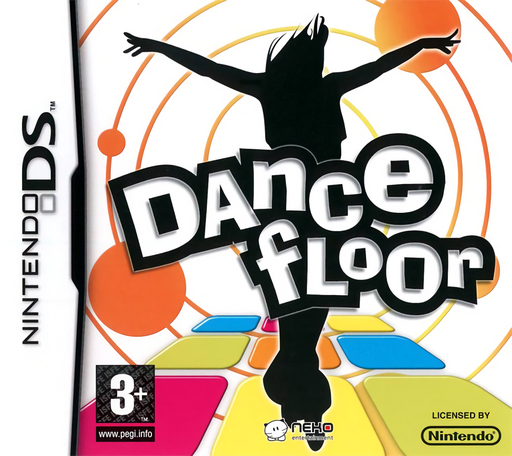
Dance Floor
Play Dance Floor online. Follow a touch-screen dance pad and challenge rivals with accurate rhythm sequences.
Browser play
Nintendo DS (NDS) — EmulatorJS controls
Default Player 1 keyboard mapping. Change keys in Controller Settings.
| Console button | Keyboard |
|---|---|
| ↑ / ↓ / ← / → | ↑ / ↓ / ← / → |
| A / B / X / Y | Z / X / A / S |
| L / R | Q / E |
| START / SELECT | Enter / V |
| Microphone | Not assigned |
Open Controller Settings to configure your keyboard or gamepad. Touch controls are available on mobile.
How to Play Dance Floor
Quick start
Begin the first practice routine and watch its input guide before performing. Listen for a steady beat and complete one short sequence accurately. Review missed timing, repeat the difficult section and only then choose a harder routine or competition.
Controls
Touch the dance-pad areas displayed on the DS screen at the cue timing. Follow the indicated sequence and any held or special action only when prompted. Use menus to choose practice or a rival; this portable game does not use a physical dance mat.
Dance Floor — About this game
This DS performance game tests timing and reading the next cue. Dance Floor presents its pad on the touch screen and structures play around dance rivals. Start with an easy practice and learn what its symbols mean before looking for a high score. Match one action cleanly, then keep the same tempo through the following sequence. If a move fails, check whether you selected the wrong target or acted too early; pressing faster rarely fixes both. Watch the feedback after a routine and repeat a manageable passage before increasing difficulty. The handheld controls create the on-screen performance, so follow this DS version rather than copying a different console edition.
Cheats
No cheats have been added for this edition.
Player verification and sources
Browser play was reviewed before this edition was published in the catalogue. The date below is the catalogue publication date, not the game’s original release date.
- Browser test and catalogue publication date
- Browsers and devices
- PC: Chrome, Edge and Firefox. Mobile: Chrome on Android and Safari on iPhone and iPad.
- Player engine and core
- EmulatorJS 4.3.0-pre · nds
- Tested by
- rwEmulator
Sources and editorial basis
rwEmulator reviews edition metadata, release information, game manuals and first-hand browser-play notes. Available manuals are linked below; the editorial policy explains how facts are checked and corrections are handled.