More browsing paths
Play Darkman (Europe edition · English) Online
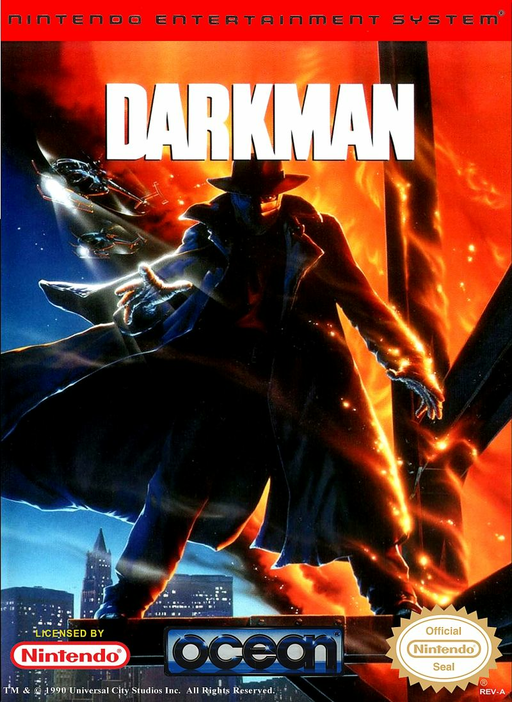
Darkman
Learn Darkman’s NES combat, weapons, balancing, photography and helicopter controls, plus how photos affect disguise time.
Browser play
Nintendo Entertainment System (NES) / Famicom — EmulatorJS controls
Default Player 1 keyboard mapping. Change keys in Controller Settings.
| Console button | Keyboard |
|---|---|
| ↑ / ↓ / ← / → | ↑ / ↓ / ← / → |
| A / B | Z / X |
| START / SELECT | Enter / V |
Open Controller Settings to configure your keyboard or gamepad. Touch controls are available on mobile.
How to Play Darkman
Quick start
Move with Left/Right, jump with A, and attack with B. Press Down to collect a weapon and Up to fire or throw it. During photography, aim with the D-pad and use A or B; on ropes, use Up/Down and alternate A/B when balance is required.
Controls
Action: Left/Right run, A jumps, B attacks, Up fires/throws a weapon, Down picks up weapons; alternate A/B to balance. Photo: D-pad aims, A or B takes a picture. Helicopter: Up/Down climbs, A or B picks up objects. START starts/pauses.
Darkman — About this game
European cartridge. Darkman alternates among platform combat, photography challenges, and helicopter-rope sequences. In the main stages, Peyton Westlake runs, jumps, punches or kicks, and uses collected weapons while a disguise timer limits progress. Better photographs create a better mask and grant more time in the following mission, linking camera accuracy to action-stage survival.
Cheats
No cheats have been added for this edition.
Player verification and sources
Browser play was reviewed before this edition was published in the catalogue. The date below is the catalogue publication date, not the game’s original release date.
- Browser test and catalogue publication date
- Browsers and devices
- PC: Chrome, Edge and Firefox. Mobile: Chrome on Android and Safari on iPhone and iPad.
- Player engine and core
- EmulatorJS 4.3.0-pre · nes
- Tested by
- rwEmulator
Sources and editorial basis
rwEmulator reviews edition metadata, release information, game manuals and first-hand browser-play notes. Available manuals are linked below; the editorial policy explains how facts are checked and corrections are handled.