More browsing paths
Play Dash Galaxy in the Alien Asylum (US edition · English) Online
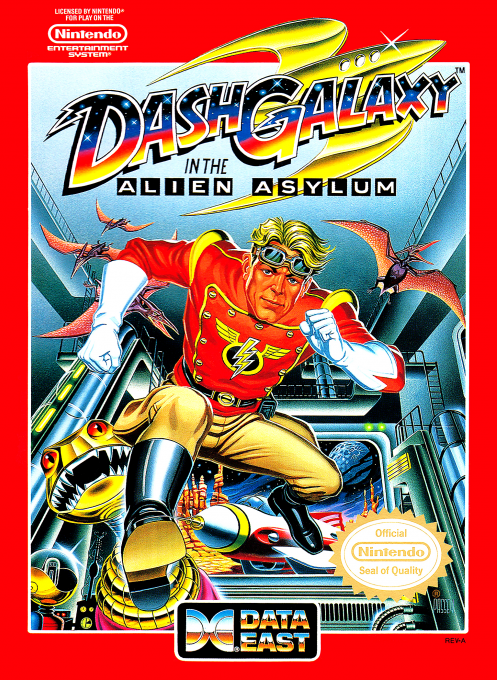
Dash Galaxy in the Alien Asylum
Learn Dash Galaxy’s block, jump, bomb and ladder controls, plus keys, oxygen and route planning through the alien maze.
Browser play
Nintendo Entertainment System (NES) / Famicom — EmulatorJS controls
Default Player 1 keyboard mapping. Change keys in Controller Settings.
| Console button | Keyboard |
|---|---|
| ↑ / ↓ / ← / → | ↑ / ↓ / ← / → |
| A / B | Z / X |
| START / SELECT | Enter / V |
Open Controller Settings to configure your keyboard or gamepad. Touch controls are available on mobile.
How to Play Dash Galaxy in the Alien Asylum
Quick start
Map each floor before spending a key or bomb. Push blocks with a direction plus A, then enter rooms and collect every required object. Run with the D-pad, press A for jumps, and use B to place a bomb; keep clear of its three-second blast.
Controls
D-pad: run and climb ladders. Direction+A: push block. Up+A: vertical jump; A while running: long jump. B: place bomb; with detonator, B again triggers it. START: start/pause. SELECT: skip briefing.
Dash Galaxy in the Alien Asylum — About this game
Dash Galaxy in the Alien Asylum combines overhead maze puzzles with side-view platform rooms. Each floor begins in an elevator shaft where blocks, force fields, and limited resources restrict the route. Inside rooms, Dash must activate every switch and collect supplies before oxygen expires. Keys cross force fields, bombs remove enemies or obstacles, and waste can make later floors impossible.
Cheats
No cheats have been added for this edition.
Player verification and sources
Browser play was reviewed before this edition was published in the catalogue. The date below is the catalogue publication date, not the game’s original release date.
- Browser test and catalogue publication date
- Browsers and devices
- PC: Chrome, Edge and Firefox. Mobile: Chrome on Android and Safari on iPhone and iPad.
- Player engine and core
- EmulatorJS 4.3.0-pre · nes
- Tested by
- rwEmulator
Sources and editorial basis
rwEmulator reviews edition metadata, release information, game manuals and first-hand browser-play notes. Available manuals are linked below; the editorial policy explains how facts are checked and corrections are handled.