More browsing paths
Play Day Dreamin' Davey (US edition · English) Online
Day Dreamin' Davey
Learn Day Dreamin’ Davey’s A/B weapon assignment, unusual jump input, inventory, passwords, and dream-adventure basics.
Browser play
Nintendo Entertainment System (NES) / Famicom — EmulatorJS controls
Default Player 1 keyboard mapping. Change keys in Controller Settings.
| Console button | Keyboard |
|---|---|
| ↑ / ↓ / ← / → | ↑ / ↓ / ← / → |
| A / B | Z / X |
| START / SELECT | Enter / V |
Open Controller Settings to configure your keyboard or gamepad. Touch controls are available on mobile.
How to Play Day Dreamin' Davey
Quick start
Press SELECT for inventory, move the cursor with the D-pad, and assign weapons to A and B. Move with the D-pad and attack with the assigned buttons. Hold A then press B to jump over hazards, and record each password.
Controls
D-pad: move/menu cursor. A: assigned weapon/advance text. B: assigned weapon. Hold A then press B: jump. SELECT: inventory/menu. START: start/pause. A confirms menu choices.
Day Dreamin' Davey — About this game
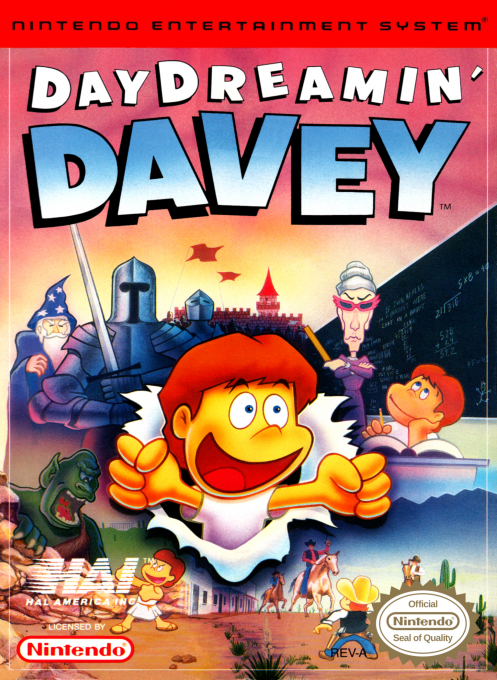
Day Dreamin’ Davey is a top-down NES action-adventure in which a student turns lessons and school encounters into fantasies. Across eleven stages, Davey visits Arthurian, ancient Greek, and Old West settings, explores mazes, talks to characters, solves item problems, and equips era-specific weapons. The inventory assigns tools separately to A and B, so preparation matters.
Cheats
No cheats have been added for this edition.
Player verification and sources
Browser play was reviewed before this edition was published in the catalogue. The date below is the catalogue publication date, not the game’s original release date.
- Browser test and catalogue publication date
- Browsers and devices
- PC: Chrome, Edge and Firefox. Mobile: Chrome on Android and Safari on iPhone and iPad.
- Player engine and core
- EmulatorJS 4.3.0-pre · nes
- Tested by
- rwEmulator
Sources and editorial basis
rwEmulator reviews edition metadata, release information, game manuals and first-hand browser-play notes. Available manuals are linked below; the editorial policy explains how facts are checked and corrections are handled.