More browsing paths
Play Deep Labyrinth (US edition · English) Online
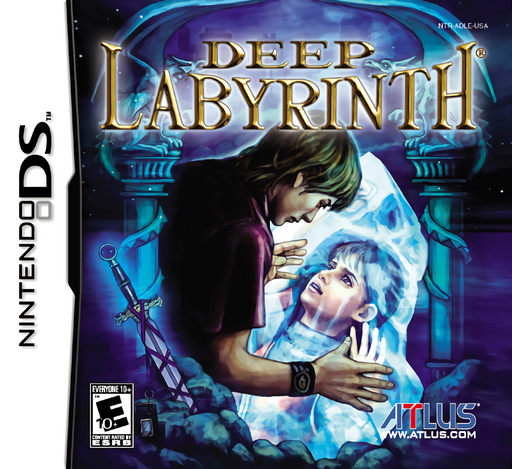
Deep Labyrinth
Play Deep Labyrinth online and explore its Nintendo DS gameplay. Explore a first-person maze, slash with the stylus and draw Kirie symbols to cast spells. See how to start and use the original controls.
Browser play
Nintendo DS (NDS) — EmulatorJS controls
Default Player 1 keyboard mapping. Change keys in Controller Settings.
| Console button | Keyboard |
|---|---|
| ↑ / ↓ / ← / → | ↑ / ↓ / ← / → |
| A / B / X / Y | Z / X / A / S |
| L / R | Q / E |
| START / SELECT | Enter / V |
| Microphone | Not assigned |
Open Controller Settings to configure your keyboard or gamepad. Touch controls are available on mobile.
How to Play Deep Labyrinth
Quick start
Choose NEW GAME, select First Chapter: Shawn & Ace and touch the story again to begin. Follow Ace and examine nearby mice, doors and slates. Practise a short sword slash, then hold the shield icon for defence. When you learn a Kirie, trace it in Spell mode and tap ATTACK.
Controls
D-pad Up moves forward and Left/Right turn. In Sword mode, slide the stylus in the direction you want to slash. Hold the Shield icon to raise the shield; releasing lowers it. In Spell mode, draw a learned Kirie in one continuous stroke and tap ATTACK. A confirms or speeds dialogue; B cancels. Blow into the microphone when a dusty slate calls for it.
Deep Labyrinth — About this game
Deep Labyrinth combines first-person dungeon exploration with touch-controlled swordplay and magic. The DS offers two stories: Shawn & Ace introduces the adventure, while Wandering Soul presents a tougher alternative. Watch the upper-screen map as you work through corridors, speak to the mice and read slates that teach symbols or explain locks. Sword direction can change damage, a raised shield reduces an incoming hit and spells spend MP, so each encounter asks you to choose an approach. Return to Moccho to recover and save your progress before venturing farther.
Deep Labyrinth Game manuals
Cheats
No cheats have been added for this edition.
Player verification and sources
Browser play was reviewed before this edition was published in the catalogue. The date below is the catalogue publication date, not the game’s original release date.
- Browser test and catalogue publication date
- Browsers and devices
- PC: Chrome, Edge and Firefox. Mobile: Chrome on Android and Safari on iPhone and iPad.
- Player engine and core
- EmulatorJS 4.3.0-pre · nds
- Tested by
- rwEmulator
Sources and editorial basis
rwEmulator reviews edition metadata, release information, game manuals and first-hand browser-play notes. Available manuals are linked below; the editorial policy explains how facts are checked and corrections are handled.