More browsing paths
Play Dementium: The Ward (US edition · English) Online
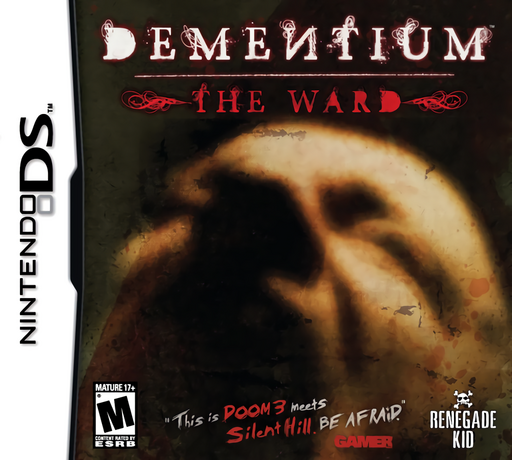
Dementium - The Ward
Play Dementium: The Ward online. Learn DS stylus aiming, flashlight and weapon switching, contextual door actions and the map-and-notepad interface.
Browser play
Nintendo DS (NDS) — EmulatorJS controls
Default Player 1 keyboard mapping. Change keys in Controller Settings.
| Console button | Keyboard |
|---|---|
| ↑ / ↓ / ← / → | ↑ / ↓ / ← / → |
| A / B / X / Y | Z / X / A / S |
| L / R | Q / E |
| START / SELECT | Enter / V |
| Microphone | Not assigned |
Open Controller Settings to configure your keyboard or gamepad. Touch controls are available on mobile.
How to Play Dementium: The Ward
Quick start
Touch the title screen and choose one of the two save files, A or B. Use the D-pad to move and slide the stylus over the heart-monitor area to look around. Approach an object or door until its action icon appears, then touch Examine, Take, Open or Use as appropriate. Collect useful equipment and read clues; use map and notepad icons after finding those items.
Controls
Default TYPE 1: D-pad moves, L uses the selected weapon and R switches between the flashlight and previous weapon. Drag the stylus over the heart-monitor area to aim or look. Touch weapon icons to change equipment and contextual icons to interact. START opens Options, including SAVE & QUIT. TYPE 2 provides left-handed movement on X/B/Y/A and swaps the shoulder functions.
Dementium: The Ward — About this game
Dementium: The Ward begins with a confused awakening inside Redmoor Hospital. Dark corridors, hostile creatures and fragments of memory turn exploration into a search for what happened. The touch screen controls your view and provides icons for opening doors, examining clues, taking objects and using them. Weapons and a flashlight serve different needs, so switching between illumination and defence becomes part of navigating the halls. Ammunition counters and the heart monitor help you judge danger. A map and notepad become available after you find them, supporting the search through locked routes and collected clues. Slow down at unfamiliar doors and check what the environment allows before moving deeper into the hospital.
Dementium: The Ward Game manuals
Cheats
No cheats have been added for this edition.
Player verification and sources
Browser play was reviewed before this edition was published in the catalogue. The date below is the catalogue publication date, not the game’s original release date.
- Browser test and catalogue publication date
- Browsers and devices
- PC: Chrome, Edge and Firefox. Mobile: Chrome on Android and Safari on iPhone and iPad.
- Player engine and core
- EmulatorJS 4.3.0-pre · nds
- Tested by
- rwEmulator
Sources and editorial basis
rwEmulator reviews edition metadata, release information, game manuals and first-hand browser-play notes. Available manuals are linked below; the editorial policy explains how facts are checked and corrections are handled.