More browsing paths
Play Destiny Links (Japan edition · Japanese) Online
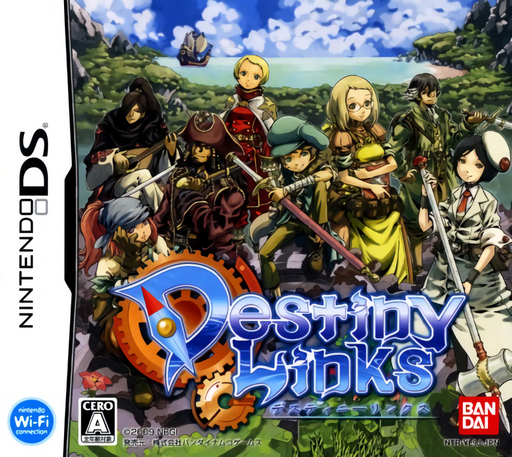
Destiny Links
Play Destiny Links online. Explore a new land, gather materials and prepare equipment for the next action-RPG expedition.
Browser play
Nintendo DS (NDS) — EmulatorJS controls
Default Player 1 keyboard mapping. Change keys in Controller Settings.
| Console button | Keyboard |
|---|---|
| ↑ / ↓ / ← / → | ↑ / ↓ / ← / → |
| A / B / X / Y | Z / X / A / S |
| L / R | Q / E |
| START / SELECT | Enter / V |
| Microphone | Not assigned |
Open Controller Settings to configure your keyboard or gamepad. Touch controls are available on mobile.
How to Play Destiny Links
Quick start
Begin a solo expedition and read the first mission. Equip the available character, explore a nearby area and collect useful materials while testing basic attacks. Return to the base to inspect crafting and preparation options before pursuing a stronger enemy or another region.
Controls
Use the DS movement controls and the action inputs shown by the opening tutorial. Choose an equipped attack or skill appropriate to the target instead of repeatedly using a poor match. Menus handle equipment, materials and base preparation; follow the current command display without assuming controls from a different action RPG.
Destiny Links — About this game
Destiny Links places the DS adventure around exploration, combat and returning with useful resources. Begin with the first solo mission and learn how your chosen equipment shapes an encounter before tackling a larger threat. Collect materials on the route, watch the enemy's movement and leave space to recover instead of trading every hit. Back at the base, inspect what can be made or improved and decide which preparation will help the next trip. A new region should be approached with a plan, not simply a fuller bag. The loop of expedition and preparation supports progress even when playing alone; this introduction makes no promise of currently available online partners or services.
Cheats
No cheats have been added for this edition.
Player verification and sources
Browser play was reviewed before this edition was published in the catalogue. The date below is the catalogue publication date, not the game’s original release date.
- Browser test and catalogue publication date
- Browsers and devices
- PC: Chrome, Edge and Firefox. Mobile: Chrome on Android and Safari on iPhone and iPad.
- Player engine and core
- EmulatorJS 4.3.0-pre · nds
- Tested by
- rwEmulator
Sources and editorial basis
rwEmulator reviews edition metadata, release information, game manuals and first-hand browser-play notes. Available manuals are linked below; the editorial policy explains how facts are checked and corrections are handled.