More browsing paths
Play Diddy Kong Racing DS (US edition · English) Online
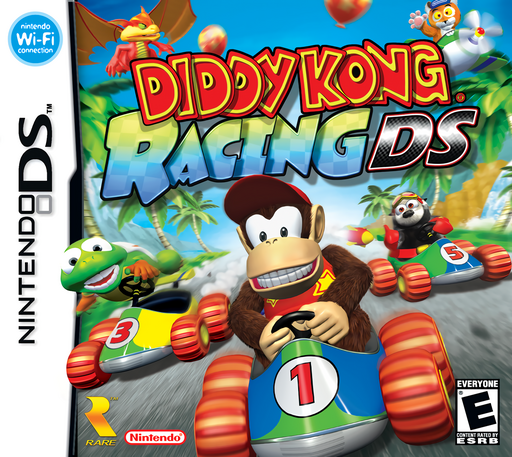
Diddy Kong Racing DS
Play Diddy Kong Racing DS online. Race karts, planes and hovercrafts, explore Timber's Island and collect Golden Balloons to open new challenges.
Browser play
Nintendo DS (NDS) — EmulatorJS controls
Default Player 1 keyboard mapping. Change keys in Controller Settings.
| Console button | Keyboard |
|---|---|
| ↑ / ↓ / ← / → | ↑ / ↓ / ← / → |
| A / B / X / Y | Z / X / A / S |
| L / R | Q / E |
| START / SELECT | Enter / V |
| Microphone | Not assigned |
Open Controller Settings to configure your keyboard or gamepad. Touch controls are available on mobile.
How to Play Diddy Kong Racing DS
Quick start
Select a save slot and begin the single-player Adventure. Follow Taj's introduction, enter a name and draw or choose your icon. Complete his kart lesson by following the marked route to earn your first Golden Balloon. Use it to enter Dino Domain and choose Ancient Lake for the first course race. Before the kart race, swipe downward over the wheel on the Touch Screen to build a starting boost, then use the buttons to drive.
Controls
DS buttons: D-pad steers; A accelerates; B brakes and reverses the kart or plane. L uses the collected item or sounds the horn; X activates a power-up and Y discards a weapon. R powerslides in a kart, jumps in a hovercraft and makes tighter turns in a plane. Hold A+B for a tight kart turn. Starting boosts use downward wheel swipes for karts, circles over the propeller for planes and microphone blowing for hovercrafts. Tap the lower screen to change its view.
Diddy Kong Racing DS — About this game
Diddy Kong Racing DS connects races through an island you can explore between events. Golden Balloons open course doors, so winning races also gives you new places to visit. Karts, planes and hovercrafts handle differently, changing how you approach turns and obstacles. The DS edition adds coins for purchases, vehicle upgrades and touch-based activities, including a track-drawing challenge introduced later in the adventure. Even the starting boost depends on your vehicle: spin the kart wheel or plane propeller on the lower screen, or use the microphone for the hovercraft. During races, button steering and item choices remain central while the lower-screen map helps you follow the field.
Diddy Kong Racing DS Game manuals
Cheats
No cheats have been added for this edition.
Player verification and sources
Browser play was reviewed before this edition was published in the catalogue. The date below is the catalogue publication date, not the game’s original release date.
- Browser test and catalogue publication date
- Browsers and devices
- PC: Chrome, Edge and Firefox. Mobile: Chrome on Android and Safari on iPhone and iPad.
- Player engine and core
- EmulatorJS 4.3.0-pre · nds
- Tested by
- rwEmulator
Sources and editorial basis
rwEmulator reviews edition metadata, release information, game manuals and first-hand browser-play notes. Available manuals are linked below; the editorial policy explains how facts are checked and corrections are handled.