More browsing paths
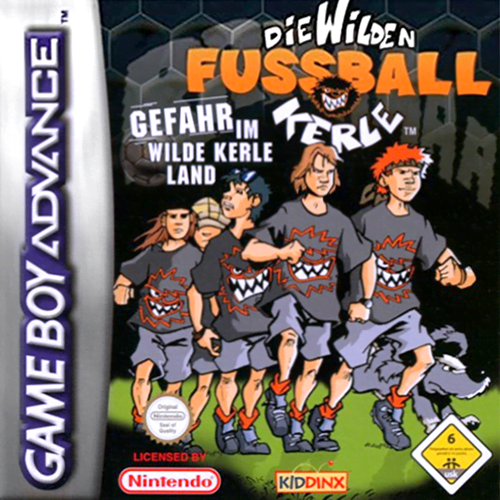
Play Die Wilden Fussball Kerle: Gefahr im Wilde Kerle Land (Germany edition · German) Online
Die Wilden Fussball Kerle: Gefahr im Wilde Kerle Land
Play The Wild Football Guys: Danger in Wild Guy Land online on GBA with exploration tasks, training and football games.
Browser play
Game Boy Advance (GBA) — EmulatorJS controls
Default Player 1 keyboard mapping. Change keys in Controller Settings.
| Console button | Keyboard |
|---|---|
| ↑ / ↓ / ← / → | ↑ / ↓ / ← / → |
| A / B | Z / X |
| L / R | Q / E |
| START / SELECT | Enter / V |
Open Controller Settings to configure your keyboard or gamepad. Touch controls are available on mobile.
How to Play Die Wilden Fussball Kerle: Gefahr im Wilde Kerle Land
Quick start
Start “New Game” and follow the first mission in Wilde-Kerle-Land. Talk to the marked characters, collect the items required for the task and then complete the training or game. First play simple passes, stay close to the ball and only finish from a free position.
Controls
Control pad: move the figure/cursor and steer the footballer. A: acknowledge, speak/interact and primary match action. B: cancel/back and second contextual action. START: Pause/Menu. L and R are not documented because no reliable GBA source stated their exact function.
Cheats
No cheats have been added for this edition.
Player verification and sources
Browser play was reviewed before this edition was published in the catalogue. The date below is the catalogue publication date, not the game’s original release date.
- Browser test and catalogue publication date
- Browsers and devices
- PC: Chrome, Edge and Firefox. Mobile: Chrome on Android and Safari on iPhone and iPad.
- Player engine and core
- EmulatorJS 4.3.0-pre · gba
- Tested by
- rwEmulator
Sources and editorial basis
rwEmulator reviews edition metadata, release information, game manuals and first-hand browser-play notes. Available manuals are linked below; the editorial policy explains how facts are checked and corrections are handled.