More browsing paths
Play Diego's Build and Rescue (US edition) Online
Diego's Build and Rescue
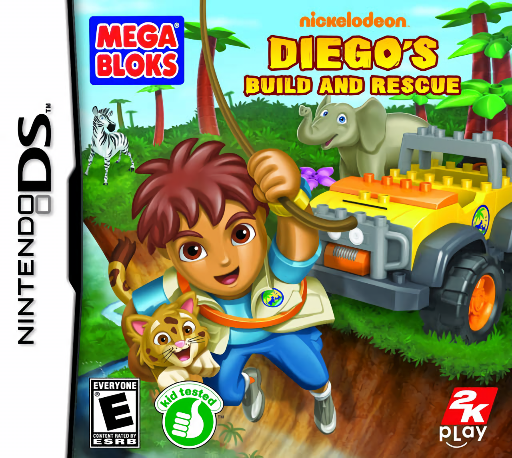
Play Diego's Build and Rescue online. Build bridges and rescue vehicles from Mega Bloks to help Diego reach stranded animals.
Browser play
Nintendo DS (NDS) — EmulatorJS controls
Default Player 1 keyboard mapping. Change keys in Controller Settings.
| Console button | Keyboard |
|---|---|
| ↑ / ↓ / ← / → | ↑ / ↓ / ← / → |
| A / B / X / Y | Z / X / A / S |
| L / R | Q / E |
| START / SELECT | Enter / V |
| Microphone | Not assigned |
Open Controller Settings to configure your keyboard or gamepad. Touch controls are available on mobile.
How to Play Diego's Build and Rescue
Quick start
Start the first habitat and follow Diego's opening instructions. Reach the initial obstacle, collect the available building blocks and choose the construction that fits the rescue. Complete the short build task, try the new crossing or vehicle and then continue toward the stranded animal.
Controls
Follow the DS movement and action prompts for the current scene. In a building task, use the touch screen to select or position the blocks and complete the shown sequence. A completed vehicle or bridge changes the route, so return attention to the main scene before continuing.
Diego's Build and Rescue — About this game
Diego's Build and Rescue turns the rescue trip into a sequence of small construction problems. Explore the current habitat, inspect what blocks the route and use the available pieces to make a useful crossing or vehicle. A bridge solves a different problem from transport over air or water, so follow the current build prompt instead of choosing by appearance alone. Begin with the first guided task, complete its steps and watch how the route changes. The rescue is reached through building and moving in the scene, not a free-form model editor with no objective. Try one construction at a time and follow Diego's instructions when the next obstacle introduces a new tool.
Diego's Build and Rescue Game manuals
Cheats
No cheats have been added for this edition.
Player verification and sources
Browser play was reviewed before this edition was published in the catalogue. The date below is the catalogue publication date, not the game’s original release date.
- Browser test and catalogue publication date
- Browsers and devices
- PC: Chrome, Edge and Firefox. Mobile: Chrome on Android and Safari on iPhone and iPad.
- Player engine and core
- EmulatorJS 4.3.0-pre · nds
- Tested by
- rwEmulator
Sources and editorial basis
rwEmulator reviews edition metadata, release information, game manuals and first-hand browser-play notes. Available manuals are linked below; the editorial policy explains how facts are checked and corrections are handled.