More browsing paths
Play Dinotopia: The Timestone Pirates (Europe edition) Online
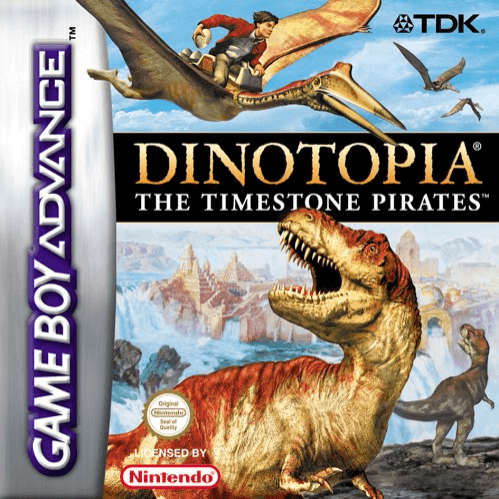
Dinotopia: The Timestone Pirates
Play Dinotopia: The Timestone Pirates online and explore five GBA levels on foot, Skybax, submersible and hadrosaur while recovering stolen eggs.
Browser play
Game Boy Advance (GBA) — EmulatorJS controls
Default Player 1 keyboard mapping. Change keys in Controller Settings.
| Console button | Keyboard |
|---|---|
| ↑ / ↓ / ← / → | ↑ / ↓ / ← / → |
| A / B | Z / X |
| L / R | Q / E |
| START / SELECT | Enter / V |
Open Controller Settings to configure your keyboard or gamepad. Touch controls are available on mobile.
How to Play Dinotopia: The Timestone Pirates
Quick start
Press START, choose Start Game, then New Game. In Waterfall City, search each of the level's three sections for a stolen Tyrannosaur egg; all three are required. Move carefully around pirates, use A to jump and B to fight, and cycle collected Sunstones with R before pressing B to fire the selected power.
Controls
Menus: D-pad selects, A confirms, B backs out. On foot: Left/Right move, Up climbs or looks up, Down crouches/climbs down, A jumps, B fights or uses the selected Sunstone, R cycles Sunstones, and L plus Left/Right crawls quietly. START pauses and displays health; SELECT is unused. Vehicle levels use their own context-specific movement.
Dinotopia: The Timestone Pirates Game manuals
Cheats
No cheats have been added for this edition.
Player verification and sources
Browser play was reviewed before this edition was published in the catalogue. The date below is the catalogue publication date, not the game’s original release date.
- Browser test and catalogue publication date
- Browsers and devices
- PC: Chrome, Edge and Firefox. Mobile: Chrome on Android and Safari on iPhone and iPad.
- Player engine and core
- EmulatorJS 4.3.0-pre · gba
- Tested by
- rwEmulator
Sources and editorial basis
rwEmulator reviews edition metadata, release information, game manuals and first-hand browser-play notes. Available manuals are linked below; the editorial policy explains how facts are checked and corrections are handled.